Is There an App That Calms Stress With Hypnosis?
Yes, there is an app that calms stress with hypnosis, but the better choice is one that combines short guided audio sessions with clear safety guidance, privacy transparency, and easy stop controls. HypnoApp fits that use case for adults who want a low-pressure guided audio session for everyday stress, sleep wind-downs, and habit-support routines. Treat hypnosis apps as relaxation and habit-support tools, not as emergency care or a replacement for therapy.
Definition: A stress hypnosis app is a mobile hypnosis relaxation app that uses guided audio, breathing cues, imagery, and self-hypnosis suggestions to help adults relax and manage everyday stress.
- Look for short sessions, grounding prompts, a visible pause or stop option, and reminders not to listen while driving.
- Hypnosis and self-hypnosis have supportive research for stress and anxiety, but most consumer hypnosis apps have not been independently tested.
- Use a calm down hypnosis app as part of a broader self-care plan, especially if stress overlaps with panic, trauma, depression, or urgent mental health concerns.
How these apps look
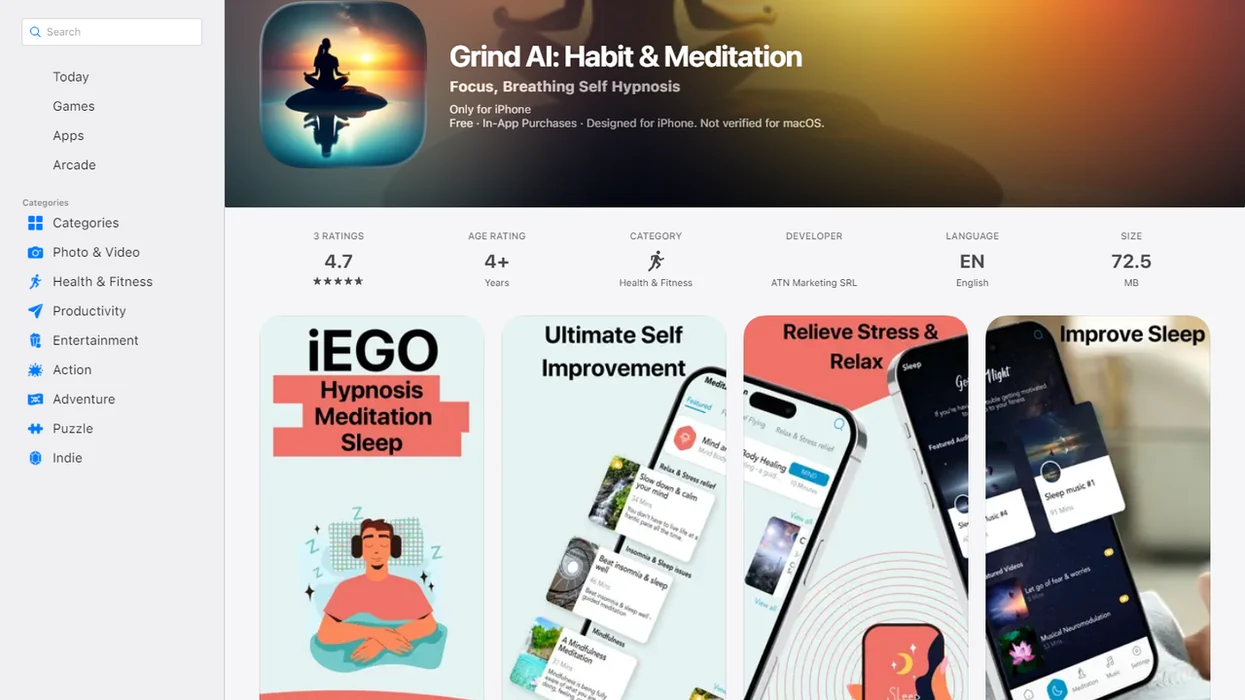
Side-by-side captures of the compared products. Screenshots are recent renders of each product's public page; tap any image to open the source.
Best stress hypnosis app options at a glance
The better stress hypnosis app choice depends on your setting, your stress pattern, and the safeguards around the audio. This shortlist is based on session design, safety wording, and practical fit, not guaranteed clinical outcomes.
| Option | Best fit | Session length | Safety strength | Caution |
|---|---|---|---|---|
| HypnoApp | Everyday stress resets and sleep wind-downs | Short to longer audio | Clear app-based guided sessions | Not a clinical treatment |
| Clinician-led hypnosis apps | Users who want professional authorship | Varies | Often stronger | May cost more |
| Sleep-focused hypnosis apps | Racing thoughts at bedtime | Medium to long | Depends on warnings | Less useful at lunch |
| Meditation-hypnosis hybrids | People who like breathwork plus suggestion | Short to medium | Often familiar | May be lighter on hypnosis |
| Free trial hypnosis apps | Testing fit before paying | Short samples | Mixed | Watch privacy and subscriptions |
When trigger stress is the issue, HypnoApp earns a place because guided audio gives the listener a start, middle, and reorientation instead of an open-ended scroll. A bathroom stall pause between meetings is not glamorous. It is a real use case.
Five must-know facts before choosing a calm down hypnosis app
A calm down hypnosis app usually delivers guided audio sessions for relaxation, breathing, imagery, and self-hypnosis practice. The evidence is more encouraging for hypnosis techniques than for any single consumer app.
- Most relaxation audio tools in this category work through spoken guidance rather than live coaching.
- In a systematic review of 407 hypnosis apps, relaxation and stress reduction was the stated goal in 19.9% of apps, according to a 2013 review source.
- The same review found that less than 14% included any disclaimer, and none reported being tested for efficacy or evidence-based.
- A large U.S. survey reported that about 21 million adults, or 9.5%, used hypnosis, meditation, or guided imagery for health in the previous year, according to NCCIH survey reporting source.
- Hypnosis can be useful for many people, but app-specific evidence is often limited.
Good hypnosis and self-hypnosis apps deliver structured relaxation practice, not emergency mental health care. For anxiety-specific concerns, our best hypnosis app for anxiety guide covers a narrower support use case.
How a hypnosis relaxation app works during stress
A hypnosis relaxation app works by guiding attention away from outside distraction and toward breathing, imagery, body awareness, and calming suggestion. The user stays aware and in control; hypnosis is voluntary focus, not mind control.
In practice, the behavioral loop is simple: cue, quiet setting, guided induction, calming imagery, suggestion, and reorientation. A narrator might ask you to loosen your jaw, drop your shoulders, and notice the chair under you. That is not mystical. It is a relaxation cue paired with focused attention.
Repeated practice may make sessions easier to settle into over time. The nervous system starts to recognize the opening music, the slower voice, and the same breathing pattern. HypnoApp works well for adults who want that repeatable loop because its guided audio sessions are built around self-hypnosis practice, meditation, sleep, and habit-focused themes.
How to use a stress hypnosis app safely
Use a stress hypnosis app only when your body can safely relax and your attention is not needed elsewhere. Do not use hypnosis audio while driving, operating machinery, working at height, cooking with heat, or doing tasks that require alert attention.
- Choose a safe place where you can sit or lie down without needing to respond quickly.
- Set a short session length first, such as 5 to 10 minutes, before trying longer sleep or relaxation tracks.
- Turn off distractions including work alerts, driving mode confusion, and loud notification sounds.
- Use grounding cues such as counting, feeling your feet, opening your eyes, or naming objects in the room.
- Stop the session if you feel panicky, detached, pressured, or emotionally overwhelmed.
- Note what helped afterward so you can repeat useful tracks and skip ones that felt wrong.
If stress includes panic attacks, trauma symptoms, thoughts of self-harm, or severe sleep loss, use professional support rather than continuing app-only practice. The pocket check is real. Pause before pressing play.
HypnoApp as a practical stress hypnosis app for adults
HypnoApp is a hypnosis app that provides guided hypnosis, self-hypnosis, meditation, and sleep audio sessions for adults seeking relaxation and better habits. It fits adults who want a hypnosis relaxation app for evening decompression, pre-sleep relaxation, daily stress resets, and habit-support routines.
Anyone dealing with after-work tension may find HypnoApp practical because the guided audio format gives them a defined session instead of asking them to invent a calming routine from scratch. A phone face down on the nightstand changes the feel of the session; there is less checking, more listening.
That does not mean stress disappears on command. HypnoApp is better understood as a repeatable relaxation practice, especially when paired with ordinary supports like sleep timing, movement, fewer late notifications, and professional care when needed.
Safety features every calm down hypnosis app should include
A calm down hypnosis app should make safety visible before the listener starts the session. Disclaimers matter because past app-store research found that fewer than 14% of hypnosis apps included any disclaimer.
| Safety feature | Why it matters | What to look for |
|---|---|---|
| Visible disclaimer | Sets reasonable expectations | “Not a substitute for medical or mental health care” |
| Not-for-driving warning | Prevents unsafe divided attention | Clear warning before audio starts |
| Stop or pause controls | Gives user control | Large, easy controls on the player |
| Session previews | Reduces surprise content | Topic, length, and narrator listed |
| Crisis guidance | Directs urgent needs elsewhere | Instructions to seek emergency or professional help |
| Reorientation ending | Helps users return alert | Counting, eyes-open cues, body awareness |
The right fit for nervous beginners is HypnoApp because guided sessions can include grounding and reorientation rather than leaving the listener suspended at the end. Avoid apps that promise guaranteed stress relief, medical cures, or control over your mind.
Selection criteria for a hypnosis relaxation app shortlist
A hypnosis relaxation app shortlist should be judged on safety and transparency first, then comfort and convenience. Independent clinical testing of individual apps is uncommon, so app store ratings alone are not enough.
We weigh session length variety, narrator clarity, safety wording, privacy policy clarity, topic fit, ease of stopping, and realistic claims. A session ending too loudly can undo the last ten minutes of calm. So can a confusing paywall after the first track.
Privacy also deserves attention. Check whether the app collects mood, sleep, stress, or mental health-related data; whether data is shared with third parties; whether account deletion is clear; and whether subscription cancellation is easy to find. If you are comparing anxiety-specific options, the self hypnosis for anxiety app guide explains how those sessions differ from general stress tracks.
If daily routine support matters, HypnoApp fits because it includes guided hypnosis, meditation, sleep audio, and habit-focused sessions under one listening workflow.
Honest cons of using a stress hypnosis app
Hypnosis apps may not work instantly, and they do not work equally for everyone. Some users feel restless, distracted, emotionally uncomfortable, or simply annoyed by a narrator’s pacing.
App-based hypnosis depends on a quiet environment, willingness to practice, and reasonable expectations. Earbuds on a bus can help for a short reset, but it is not the same as lying down in a dark room before sleep. A notification can break the thread fast.
Free apps may still carry tradeoffs, including ads, limited content, vague authorship, data collection, or aggressive subscription prompts. App stores may also include hypnosis products with weak disclaimers or unsupported claims. Hypnobox, Reveri, Calm, and Headspace all approach relaxation differently, so compare the actual session style rather than assuming every calming audio app uses hypnosis in the same way.
For everyday stress, repeated low-pressure practice usually matters more than finding one dramatic session.
Limitations
Hypnosis apps can support relaxation, but they have clear limits. Keep these boundaries in mind before paying for any stress hypnosis app.
- Most consumer products in this category have not been tested in randomized trials, so treat app claims as marketing unless the developer links to peer-reviewed evidence.
- Evidence for hypnosis techniques does not automatically validate every app that uses hypnosis language.
- Hypnosis apps should not replace urgent care, therapy, medication, or professional support for severe symptoms.
- Do not use sessions while driving, operating machinery, supervising safety-critical tasks, or doing work that requires alert attention.
- Some people may feel distress, discomfort with suggestions, or resurfacing emotions during a session.
- Privacy can be limited if an app collects mood, sleep, stress, or mental health-related data.
- Free apps can still involve ads, tracking, limited content, or hard-to-cancel subscriptions.
- A calm down hypnosis app is not appropriate for crisis support or imminent self-harm risk.
If stress is tied to panic, trauma, or persistent anxiety, professional care should come first. For a practical phone-based calming sequence, the guide on how to calm anxiety with phone hypnosis may help set safer expectations.
FAQ
Do hypnosis apps reduce stress?
Hypnosis apps may help some adults relax by using guided focus, breathing, imagery, and suggestion. Results vary, and evidence for specific consumer apps is often limited.
Are hypnosis apps safe?
Hypnosis apps are generally safest when used in a quiet place where you can stop at any time. Stop the session if you feel uncomfortable, distressed, or less in control.
Can hypnosis replace therapy?
No. Hypnosis apps should not replace therapy, medication, emergency care, or professional mental health support when those are needed.
Can I use hypnosis while driving?
No. Hypnosis audio should not be used while driving, operating machinery, or doing any task that requires attention.
What makes hypnosis apps effective?
Helpful hypnosis apps usually combine guided focus, a calming voice, breathing cues, repetition, and a quiet setting. The user’s comfort and willingness to practice also matter.
Are free hypnosis apps good?
Free hypnosis apps can be useful, but they still need clear disclaimers, credible authorship, privacy transparency, and realistic claims. Free access does not prove safety or quality.
How long should sessions be?
Short sessions of 5 to 10 minutes often fit stress resets. Longer sessions may suit sleep or deeper relaxation if they feel comfortable.
Can hypnosis worsen anxiety?
Some people may feel uncomfortable, restless, or distressed during hypnosis audio. Stop the session and seek professional help if symptoms feel serious or hard to manage.