How Self-Hypnosis Apps Work for Adult Wellness
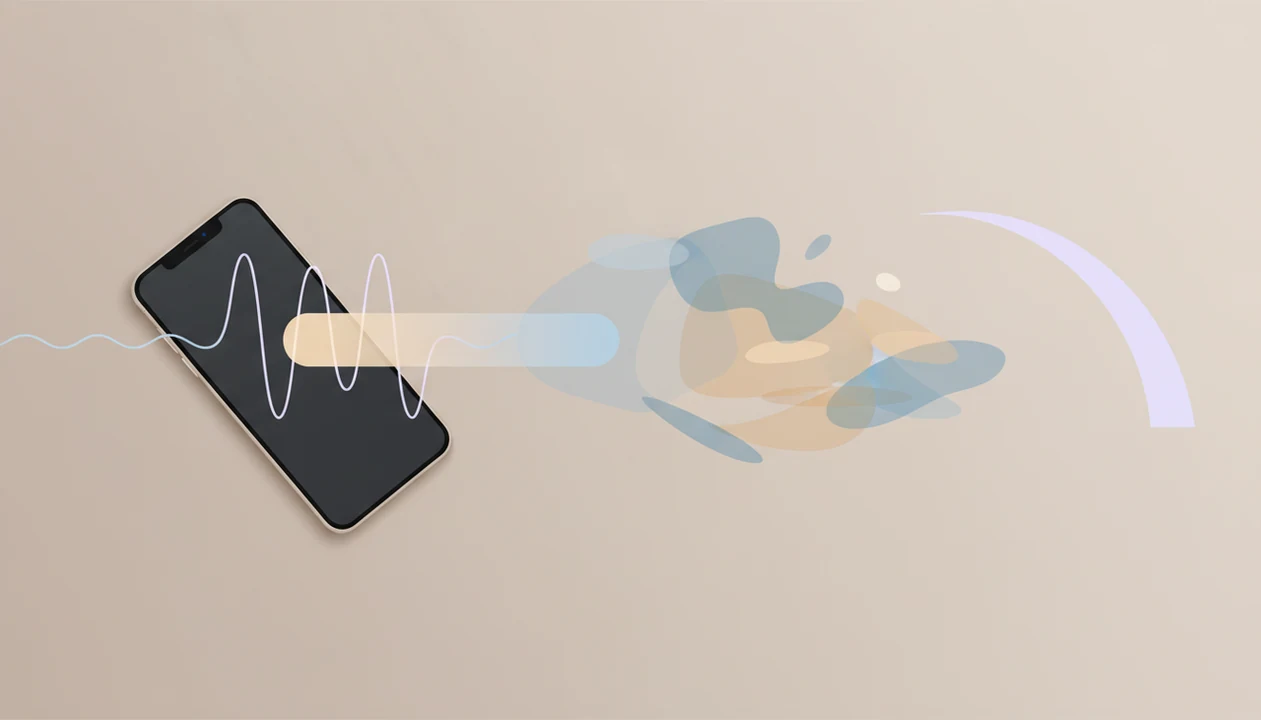
How self-hypnosis apps work is simple: they use guided audio to move adults into a relaxed, focused state, then deliver repeated hypnotic suggestions tied to goals like sleep, stress relief, confidence, or habit support. The user stays aware and in control while practicing attention, imagery, breathing, and suggestion over repeated sessions.
This guide is educational and limited to adult wellness use. If you have severe anxiety, trauma symptoms, psychosis, dissociation, suicidal thoughts, or a medical condition, use hypnosis audio only with professional guidance.
> A self-hypnosis app is an audio-based mobile app that guides adults through relaxation, focused attention, imagery, and hypnotic suggestions for wellness goals such as sleep, stress relief, and habit support.
- Most self-hypnosis apps use structured guided hypnosis audio: induction, deepening, suggestion, and return.
- The mechanism is focused attention plus relaxation, which may make helpful suggestions feel easier to rehearse and repeat.
- Apps can support wellness habits, but they do not diagnose, treat, cure, or replace professional care.
How Self-Hypnosis Apps Work Inside a Guided Audio Session
Self-hypnosis apps work by combining a guided voice, breathing cues, focused attention, imagery, hypnotic suggestions, and repetition. The app does not “do hypnosis” to you; it gives you a structured path to follow while you practice settling your body and attention.
In practice, a narrator may ask you to loosen your jaw, drop your shoulders, and notice your breath. Then the session narrows your focus toward a goal, such as sleep, stress relief, confidence practice, or habit support. You remain aware. You can open your eyes, pause the audio, or stop at any time.
The key tradeoff is standardization. A guided audio session can be convenient on a lunch-break walk or through earbuds on a bus, but it is not tailored like a clinician-led session. Good hypnosis and self-hypnosis mobile apps with guided meditation, sleep sessions, anxiety relief, and habit-building audio programs deliver repeatable relaxation and rehearsal, not diagnosis, cure, or personal therapy.
Five Facts About the Self Hypnosis App Mechanism
- Self-hypnosis apps use structured audio scripts, usually a calm voice layered with simple background sound or music.
- Most sessions follow a familiar pattern: induction, deepening, suggestion, and return to normal alertness.
- The self hypnosis app mechanism resembles clinical hypnosis in its use of relaxation, attention, and suggestion, but it is self-guided and standardized.
- App quality varies. A review of 407 hypnosis apps found that only 3.1% reported health professional involvement, according to the published systematic review source.
- Results differ because hypnotic responsiveness varies by person, and some people notice little beyond ordinary relaxation.
A helpful way to think about it is practice, not performance. One listener may feel heavy and quiet after five minutes. Another may keep wondering, “Am I supposed to feel hypnotized?” Both reactions can happen during normal self-hypnosis practice.
For most adults, self-hypnosis apps are easier to start than in-person hypnosis because the session is available at home and requires no appointment.
Guided Hypnosis Audio Structure: Induction, Deepening, Suggestion, Return
Guided hypnosis audio usually has four parts: induction, deepening, suggestion, and return. This structure helps the listener move from ordinary attention into a quieter, more focused state before goal-specific suggestions are introduced.
Induction cues
Induction cues often include breathing, a body scan, muscle relaxation, and settling attention. You might be told to feel the mattress under your back or count a longer exhale.
Deepening imagery
Deepening uses slower pacing and imagery, such as stairs, floating, a quiet room, or a safe outdoor place. Rain sounds under a quiet voice can make the transition feel less abrupt at bedtime.
Suggestion phase
The suggestion phase uses clear, positive, goal-specific hypnotic suggestions. A sleep session may point attention toward letting the day end. A confidence session may rehearse steady breathing before a video call.
The return phase brings you back to normal alertness, unless the track is meant for sleep. If the session ends too loudly, that can break the calm fast.
Before You Start Using a Self-HypnoApp
Before you use a self-hypnosis app, make sure the session fits a low-risk wellness goal and a safe listening moment. Treat it as guided practice for relaxation, sleep, stress, confidence, or habits, not as medical treatment or a guaranteed fix.
- Confirm that your goal is appropriate for self-guided audio, such as winding down, practicing calm, or supporting a routine. If the concern feels medical, severe, or risky, pause and seek professional guidance.
- Choose a time when you can sit or lie down without driving, cooking, supervising hazards, or splitting attention between tasks.
- Preview the practical details: session length, narrator voice, background sound, volume, and whether the ending returns you gently or fades into sleep.
- Review the app’s privacy settings, subscription price, renewal timing, trial limits, and cancellation rules before making it part of your routine.
- Avoid tracks or apps that promise cures, instant transformation, guaranteed outcomes, or one-session fixes. Realistic self-hypnosis sounds more like repeated rehearsal than a magic switch.
A two-minute check upfront can prevent the common frustrations: the wrong voice, a surprise charge, or a loud ending right when you were settling.
How to Use a Self-HypnoApp Safely and Consistently
Use a self-hypnosis app when you can listen safely, stay undisturbed, and repeat the practice over time. One session may feel calming, but consistent use is usually more realistic than expecting a major shift after one play.
- Set a realistic wellness goal before choosing a session, such as winding down for sleep or practicing confidence before a presentation.
- Choose a quiet setting and do not listen while driving, cooking over heat, or multitasking.
- Use headphones if they feel comfortable, then silence notifications and place the phone face down.
- Listen regularly for 10 to 30 minutes rather than treating one session as a test you must pass.
- Review how you feel afterward, then adjust the session type, voice, length, or timing.
The pocket check is real. A notification interrupting a relaxation track can pull attention back in seconds.
If a session makes you feel panicky, detached, flooded with memories, or unusually distressed, stop the audio and return to ordinary grounding: open your eyes, name five things in the room, and seek professional support if the reaction continues.
If session length is the sticking point, our guide to how long should hypnosis sessions be explains why shorter tracks may work better for beginners.
Common Mistakes and Troubleshooting With Self-Hypnosis Apps
Most self-hypnosis app problems come from unsafe timing, unrealistic expectations, or switching too quickly. Troubleshooting is usually practical: make the session safer, simpler, and more repeatable.
- Expect ordinary focused relaxation, not a movie-style trance. You may hear every word, feel a little bored, or notice thoughts drifting in and out; that does not automatically mean the session failed.
- Repeat one suitable track for several nights before judging it. Familiarity can help the voice, pacing, and suggestions feel less effortful than a new session every time.
- Listen only where reduced attention is safe. Skip hypnosis audio while driving, walking in traffic, cooking over heat, supervising children near hazards, or trying to work.
- Get professional care for serious, persistent, or risky symptoms. A wellness track is not the right tool for crisis feelings, trauma flooding, severe anxiety, medical pain, or symptoms that need assessment.
- Reject sessions with jarring endings, vague credentials, pressure-filled subscriptions, or claims of guaranteed cures. A sudden blast of music at bedtime is not a small detail if it keeps breaking the calm.
The fix may be as simple as a different narrator, a gentler ending, or a shorter track used consistently.
Hypnotic Suggestions and Imagery in Self-Hypnosis Apps
“What are hypnotic suggestions in a self-hypnosis app?” Hypnotic suggestions are repeated, positively framed statements that point attention toward a chosen response, such as calming the body, preparing for sleep, pausing before a craving, or speaking with steadier confidence.
A session might say, “With each breath, your shoulders soften,” or “When you notice the urge, you pause and breathe first.” For habit support, a post-hypnotic cue might be a word, a slow breath, or touching two fingers together before opening the pantry. These cues are prompts, not commands.
Imagery supports the suggestion by giving the mind a scene to rehearse. That might mean picturing yourself closing open tabs and returning to one task, or imagining a calm voice before an interview. If you want the narrower comparison, hypnosis vs affirmations explains why suggestion inside relaxation feels different from repeating statements while fully alert.
Self-Hypnosis Apps Versus Meditation Apps and Therapy Hypnosis
Self-hypnosis apps, meditation apps, and clinician-led hypnosis overlap, but they are not the same tool. Meditation often emphasizes observing experience, while hypnosis usually emphasizes goal-directed suggestion.
For example, Calm and Headspace are primarily meditation and sleep apps, while Reveri is a hypnosis-focused app; users should compare the actual script structure, claims, clinician involvement, and safety warnings rather than relying on the app-store category label.
| Tool | Main focus | Personalization | Common fit | Main limit |
|---|---|---|---|---|
| Self-hypnosis app | Relaxation plus goal-specific suggestion | Low to moderate | Sleep routines, stress resets, confidence rehearsal, habit support | Standardized scripts |
| Meditation app | Awareness, breathing, mindfulness, acceptance | Low to moderate | Daily calm, focus, emotion noticing | Less direct behavior suggestion |
| Clinician-led hypnosis | Tailored hypnosis within care | High | Medical, therapy, or complex personal concerns | Requires access to a trained professional |
Apps are convenient, but they are not a substitute for individualized care. A clinician can ask follow-up questions, adapt language, assess risk, and coordinate care.
Self-hypnosis usually works best when the goal is low-risk wellness practice, while clinician-led hypnosis fits people who need assessment, personalization, or support for complex symptoms. For a deeper contrast, the hypnosis vs meditation guide separates attention training from suggestion-based practice.
Evidence and Quality Signals for Guided Hypnosis Audio Apps
Evidence for hypnosis is stronger for some outcomes than others, and app quality is uneven. Clinical guidance from Mayo Clinic notes that hypnosis may help some people with pain, sleep problems, smoking, overeating, and anxiety, but it is not effective for everyone source.
- A systematic review of 407 hypnosis apps found that only 3.1% reported health professional involvement.
- In the same review, common app goals included weight loss, self-esteem, and relaxation or stress reduction.
- A meta-analysis of 85 controlled hypnosis studies reported an average effect in the medium range across varied outcomes, while noting that results depend on the condition, study design, and individual responsiveness source.
- Stronger app quality signals include named authorship, realistic claims, a visible privacy policy, clear session structure, and safety warnings.
- Weaker signals include guaranteed outcomes, vague credentials, no citations, hidden subscription terms, or claims that one track can fix a medical issue.
Clinicians typically recommend hypnosis as a possible supportive technique for selected concerns, not as a stand-alone replacement for medical or mental health care.
Tools like HypnoApp should be judged by the same practical signals: clear audio purpose, reasonable expectations, and transparent wellness framing.
Common Myths About How Self-Hypnosis Apps Work
Common myths about self-hypnosis apps usually come from stage hypnosis, movie scenes, or overconfident marketing. Real guided hypnosis audio is quieter and more ordinary.
- Mind control myth: Apps do not take over your mind. You stay aware, hear the audio, and can stop the session.
- One-listen myth: One session may help you relax, but sleep, stress, and habit work usually need repetition.
- Same-results myth: People respond differently. Some feel absorbed quickly, while others mostly feel relaxed or slightly bored.
- Medical-replacement myth: Guided hypnosis audio cannot replace therapy, medical care, crisis support, or trauma-informed treatment.
- Unconscious-trance myth: Trance does not mean being unconscious. Many users simply feel focused, settled, and less distracted.
That does not mean the session failed. A beginner in a library cubicle with a dim lamp may still hear every word and benefit from the pause.
If you are deciding whether the practice is worth trying, does self-hypnosis work covers expectations in more detail.
Adult Wellness Fit for HypnoApp Sessions
HypnoApp is a hypnosis app that provides guided hypnosis, self-hypnosis, meditation, and sleep audio sessions for adults seeking relaxation and better habits. It fits the adult wellness lane: relaxation, bedtime routines, stress management, confidence practice, and habit-support listening.
The most useful role for an app is repeatable rehearsal. You press play, follow the guided audio session, and practice a calmer response before the moment you need it. Note cards trembling in one hand before a talk is a real use case; so is listening before bed with the phone glowing on the nightstand.
HypnoApp and similar tools should not be used to diagnose symptoms, cure disease, or replace a clinician. They are better understood as low-pressure practice tools for adults who want structured audio support between the rest of life.
Limitations
Self-hypnosis apps have real limits, especially when marketing makes them sound more clinical than they are. Review the safety, evidence, and privacy details before treating any app as part of your routine.
- Self-hypnosis apps are not regulated medical devices in many contexts.
- Many commercial apps may not disclose health professional involvement, clinical review, or scientific citations.
- Results vary because hypnotic responsiveness differs from person to person.
- Apps should not replace therapy, medical care, crisis support, or trauma-informed treatment.
- People with psychosis, severe dissociation, untreated trauma, or serious mental health symptoms should seek professional guidance before using hypnosis audio.
- Claims around rapid weight loss, addiction recovery, productivity, or pain relief may be overstated.
- Data privacy, subscription terms, cancellation rules, and audio safety warnings should be reviewed before use.
- Some sessions end with loud music or sudden voice changes, which can be jarring during relaxation.
A good rule is simple: use the app for wellness practice, and use professional care when symptoms are serious, risky, or persistent. If personalization matters, a tool that can personalize hypnosis sessions may be more suitable than a fixed audio library.
FAQ
Do self-hypnosis apps really work?
Some adults find self-hypnosis apps helpful for relaxation, sleep routines, confidence rehearsal, and habit support. Effects vary by person, session quality, and consistency.
What is guided hypnosis audio?
Guided hypnosis audio is a spoken session that uses relaxation, focused attention, imagery, and hypnotic suggestions. It usually follows a planned script rather than a live conversation.
Can hypnosis apps control your mind?
No. Users usually remain aware, in control, and able to pause or stop the session.
How long is a hypnosis app session?
Many hypnosis app sessions last about 10 to 30 minutes. Some apps offer shorter reset tracks or longer bedtime sessions.
Should I use headphones with a self-hypnosis app?
Headphones can reduce distraction and make the voice easier to follow. They are not required if a speaker feels safer or more comfortable.
When should I listen to a self-hypnosis app?
Listen during quiet, safe times, such as before sleep, during a break, or while seated somewhere you will not be disturbed. Do not use hypnosis audio while driving.
Are hypnotic suggestions permanent?
Hypnotic suggestions are usually reinforced through repetition. They do not become permanent instantly after one session.
Who should avoid hypnosis apps?
People with serious mental health symptoms, trauma concerns, psychosis, severe dissociation, or medical conditions should seek professional guidance first. HypnoApp is intended for adult wellness support, not crisis care.
Can apps replace a hypnotherapist?
Apps are convenient and standardized, while a trained hypnotherapist can personalize language, assess risks, and adapt the session. HypnoApp can support practice, but it does not replace individualized professional care.