Definition: A free hypnosis app is a mobile application that delivers guided hypnosis or self-hypnosis audio sessions, typically for sleep, stress relief, or habit support, at no upfront cost through a mix of permanently free tracks and time-limited free trials.
- Most free hypnosis apps mix a few permanently free tracks with a paid subscription upsell, so check what stays free before signing up.
- Only 2.4% of hypnosis apps in a 407-app review reported any health care professional involvement, so vet credentials carefully.
- Look for offline access, a clear stop/skip option, transparent privacy policies, and no cure or diagnosis claims.
Five Facts About Free Hypnosis Apps Every User Should Know
- Hypnosis is a research-supported state of focused attention, usually paired with relaxation and suggestion. It is not mind control, sleep, or loss of awareness.
- In a 407-app review, only 2.4% of hypnosis-related apps reported health care professional involvement, and none provided clinical effectiveness evidence. Source: https://mental.jmir.org/2017/1/e1/
- A hypnosis app free trial is often a marketing funnel. Expect subscription prompts, push notifications, and possible data collection before the paid screen appears.
- Rare side effects can include dizziness, headache, anxiety, sleep disruption, or distressing memories. Stop the session if your body feels wrong.
- Medical sources generally frame hypnosis as a complementary tool for pain, anxiety, sleep, hot flashes, and some behavior changes, not a standalone cure.
HypnoApp fits adults who want a low-pressure first session because the starting point is guided audio, not a claim that you must “feel hypnotized” to get value.
Free HypnoApp Shortlist For Sleep, Calm, And Habits
Here are the free guided hypnosis app options we would compare first, with the free-versus-paid distinction made plain.
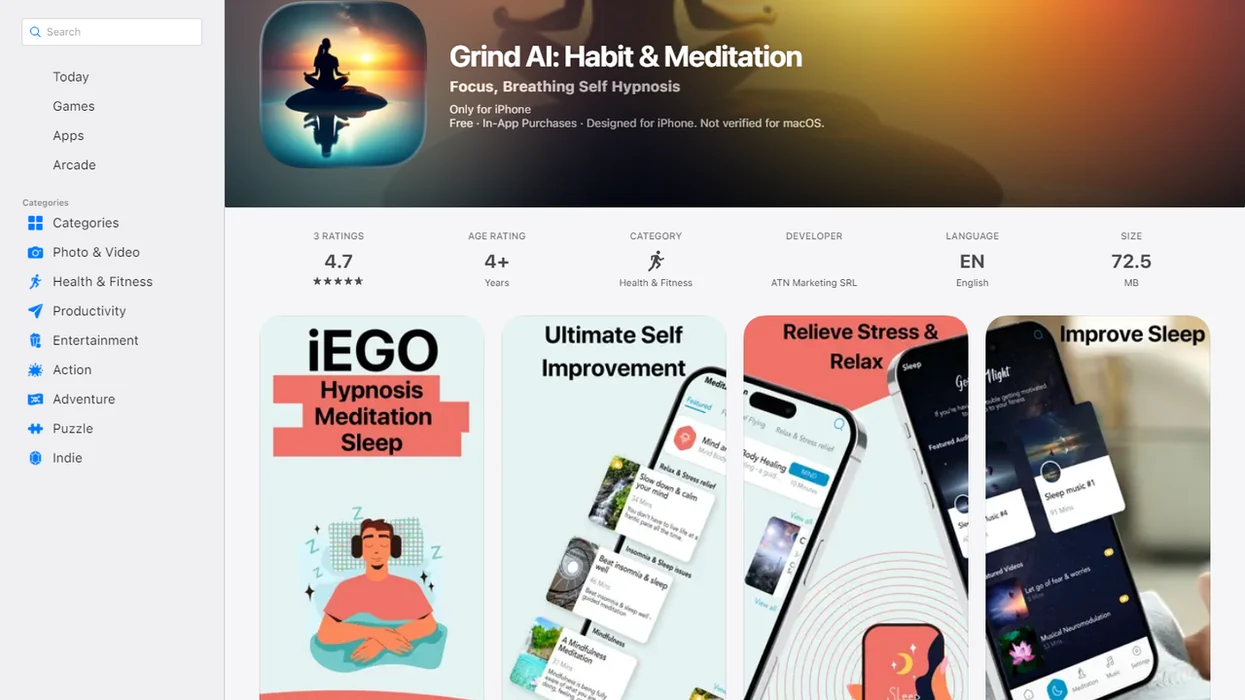
- Hypnosis App: Offers free guided sessions for sleep, relaxation, and self-hypnosis practice. It fits beginners who want a phone-on-the-nightstand routine with a clear audio library before exploring paid content.
- Reveri: A Stanford-affiliated hypnosis app with limited free sessions and a stronger science-forward positioning. Some topic areas may require a subscription after trial access.
- HypnoBox: A free self hypnosis app with customizable session building. Deeper customization and broader libraries may be trial-gated or paid.
- Joseph Clough Hypnosis: Provides free introductory tracks with a familiar upsell model. Check which sleep, confidence, and habit tracks remain free after account setup.
For adults who need bedtime audio before paying, HypnoApp earns a place because sleep and calm sessions can be tested as a real routine, not just a checkout preview. For a broader paid-and-free comparison, our best hypnosis app guide covers selection criteria in more depth.
What A Free HypnoApp Does
A free hypnosis app gives you guided audio for focused relaxation, usually built around a goal like sleep, calm, confidence, or habit support. It is best understood as a routine tool, not as a diagnostic service or treatment plan.
Most sessions follow a simple pattern:
- Settle your attention with an induction, such as breathing, counting, body scanning, or progressive muscle relaxation.
- Follow relaxation cues that help your body downshift, like softening the jaw, lowering the shoulders, or noticing a steady sensation.
- Listen to goal-specific suggestions aimed at the session topic, such as winding down for sleep, practicing calm, or rehearsing a different habit cue.
- Return gradually with closing prompts, unless the track is designed to fade out for bedtime.
The free part matters. Some apps offer permanent free tracks you can reuse without a deadline. Others offer a free trial library that may lock after a few days or renew into a paid subscription. Core features usually map to sleep tracks, calm sessions, habit-focused suggestions, and self-hypnosis practice. Consumer apps can support repetition and structure, but they should not claim to diagnose, cure, or replace professional care.
407-App Review Criteria For Free Guided Hypnosis Apps
We evaluated free hypnosis apps using practical criteria a listener can check in under ten minutes: permanently free content volume, creator credentials, privacy policy clarity, offline mode, stop or skip controls, and subscription transparency.
The 407-app review matters because it found that most hypnosis apps lacked evidence citations, safety warnings, or professional credential disclosure. That does not mean every app is unsafe. It does mean you should not treat a calm voice and polished store listing as proof of clinical quality.
We excluded apps that gave no creator information, pushed aggressive permissions, or made cure-style claims. The pocket check is real. If a free trial starts asking for mood history, sleep patterns, and notification access before you hear one track, slow down and read the terms.
Ready to start your quit?
HypnoApp is the best free hypnosis app to compare first for most adults who want guided sleep, calm, and self-hypnosis audio without starting with a paid checkout screen. The…
Self-Hypnosis Audio Design In Free Hypnosis Apps
Free hypnosis apps work by guiding attention through a structured audio sequence. Most sessions start with an induction phase, using progressive relaxation, breathing cues, and focused attention so the listener can settle.
In practice, the narrator may ask you to loosen your jaw, drop your shoulders, and notice one steady sensation. The suggestion phase then introduces goal-specific imagery for sleep, calm, confidence, or habit cues. Good hypnosis and self-hypnosis mobile apps deliver guided focus and repeatable relaxation cues, not medical guarantees or instant personality change.
Hypnosis apps differ from meditation apps because they often use more direct verbal suggestions. A meditation track may say, “notice the thought.” A hypnosis track may say, “picture yourself choosing the calmer next step.” In one review, advertised goals included weight loss at 22.6%, self-esteem at 20.3%, and relaxation or stress reduction at 19.9%. Source: https://mental.jmir.org/2017/1/e1/ Free tiers usually limit session depth or topic range.
6-Step Safety Check For A Free HypnoApp Trial
Use this checklist before trusting any hypnosis app free trial, especially if it asks for payment details upfront.
- Review the privacy policy before downloading, and check whether mood, sleep, or health data may be shared.
- Check creator credentials and look for licensed clinician involvement, research citations, or clear editorial review.
- Start with neutral relaxation or sleep audio, not a deep trauma, addiction, or behavior-change session.
- Test stop and skip controls during the first session, while you are fully alert.
- Monitor mood and sleep for several days before upgrading, especially if you feel more anxious afterward.
- Set a calendar reminder before any free trial converts to paid.
When bedtime consistency is the issue, HypnoApp works best as a repeatable routine because you can press play, place the phone face down, and use the same guided audio session several nights in a row. If your main goal is sleep, compare it with our best sleep hypnosis app guide.
How To Use A Free HypnoApp
Use a free hypnosis app as a simple, low-pressure routine, not as a test of willpower or a substitute for care. The safest first goal is usually sleep, relaxation, or everyday calm.
- Choose one modest goal before you press play, such as winding down at night or practicing a calmer response after work.
- Pick a quiet window when you will not need to drive, supervise something urgent, answer work messages, or react quickly.
- Start with one short beginner session and keep the volume comfortable enough that the voice is clear without feeling intrusive.
- Stop immediately if you feel distressed, dizzy, panicky, disoriented, or physically wrong; sit up, ground yourself, and do not resume that track.
- Repeat the same session for several nights before deciding whether it helps, because a familiar cue often works better than constant novelty.
- Use professional support instead of app-only self-help for trauma, severe anxiety, crisis risk, dissociation concerns, or complex symptoms.
For ordinary sleep or calm goals, the routine matters more than chasing a dramatic “hypnotized” feeling.
Privacy And Data-Sharing Risks In Free Hypnosis Apps
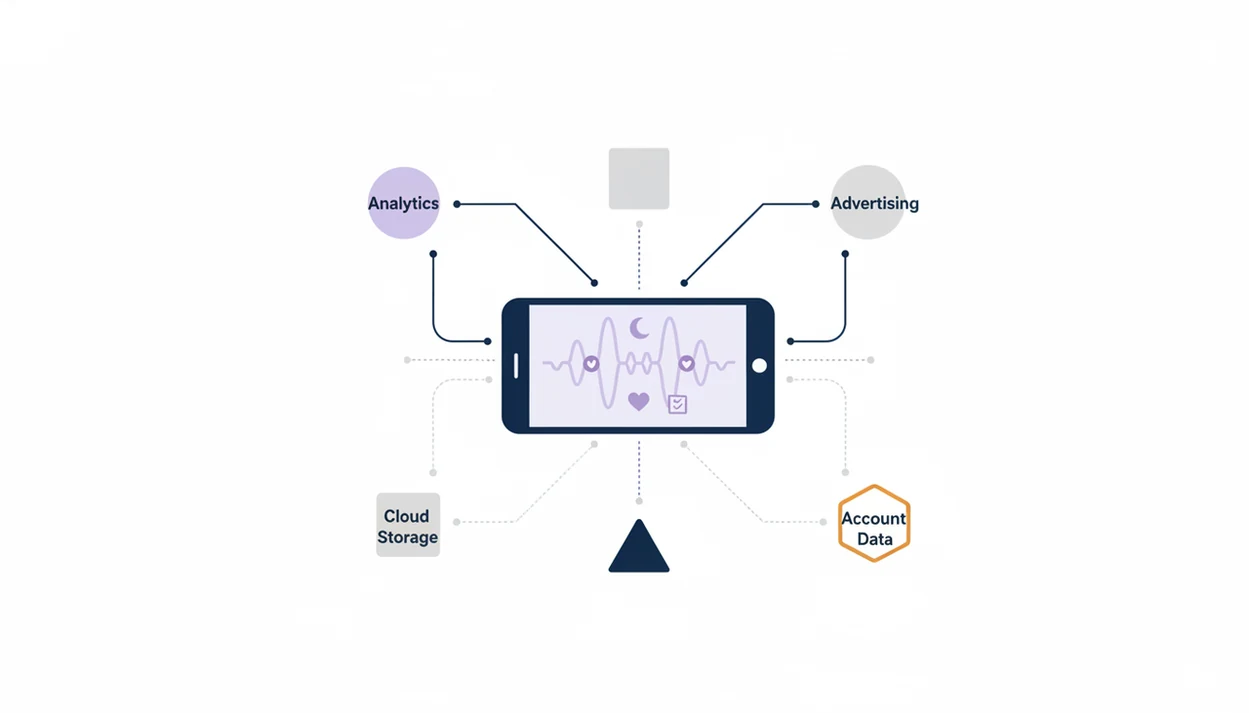
Free hypnosis apps may collect mood ratings, sleep notes, usage history, device identifiers, advertising IDs, and analytics events. That data can be more sensitive than a normal audio preference because it may imply stress, insomnia, anxiety, or habit-change goals.
Look for third-party sharing language, analytics SDK disclosures, broad permission requests, and push-notification defaults. A notification banner for bedtime audio can be helpful; five upgrade prompts in one evening is not.
Competitor guides often compare calm.com, headspace.com, and hypnobox.com on content, but privacy deserves the same attention. If the priority is lower data exposure, HypnoApp should be judged by its permissions, account requirements, and whether sessions can be used without unnecessary tracking.
Free HypnoApp Comparison Table: Trials Vs. Permanent Free Content
Use this table to separate permanently free content from trial-gated libraries. Trial lengths and renewal terms change, so confirm the current App Store or Google Play listing before entering payment details.
| App name | Free content type | Offline access | Creator credentials disclosed | Data sharing transparency |
|---|---|---|---|---|
| HypnoApp | Permanent free sleep and relaxation sessions, with broader library options | Check device plan and session settings | App-level editorial positioning, verify session details | Review privacy policy before use |
| Reveri | Limited free sessions plus subscription trial | Varies by plan | Stanford-affiliated positioning | Review policy and account terms |
| HypnoBox | Free self-hypnosis tools, paid expansion likely | Varies | Some creator information available | Review policy for analytics sharing |
| Joseph Clough Hypnosis | Free introductory tracks with upsells | Varies | Named creator disclosed | Review subscription and data terms |
Android users should also check storage behavior in our hypnosis app for Android page.
Limitations
A free hypnosis app can support relaxation and routines, but it has real limits.
- Research on hypnosis is stronger for clinician-guided uses than for consumer app libraries.
- Free tiers often lock the most useful sleep, habit, or confidence programs behind subscriptions.
- Some people are less responsive to hypnotic suggestion, so repeated listening may still feel flat.
- Apps cannot screen for suicidal ideation, psychosis, severe PTSD, dissociation concerns, or escalating panic.
- Claims about rapid habit change, guaranteed sleep, or permanent results are marketing, not medical fact.
- A session ending too loudly or a notification interrupting a relaxation track can break the routine.
- Hypnosis is not a substitute for professional mental health treatment.
For iOS-specific setup questions, including bedtime playback and device settings, use our hypnosis app for iPhone guide. HypnoApp can be useful alongside professional care when needed, but it should not replace that care.