> Definition: HypnoApp is a hypnosis app that provides guided hypnosis, self-hypnosis, meditation, and sleep audio sessions for adults seeking relaxation and better habits.
What Works With a HypnoApp on iPad
A hypnosis app on iPad works best as an audio-first guided practice for sleep, relaxation, confidence, and habit support. The iPad helps before the session starts: the larger screen makes it easier to browse categories, read track lengths, and choose a voice without squinting in bed.
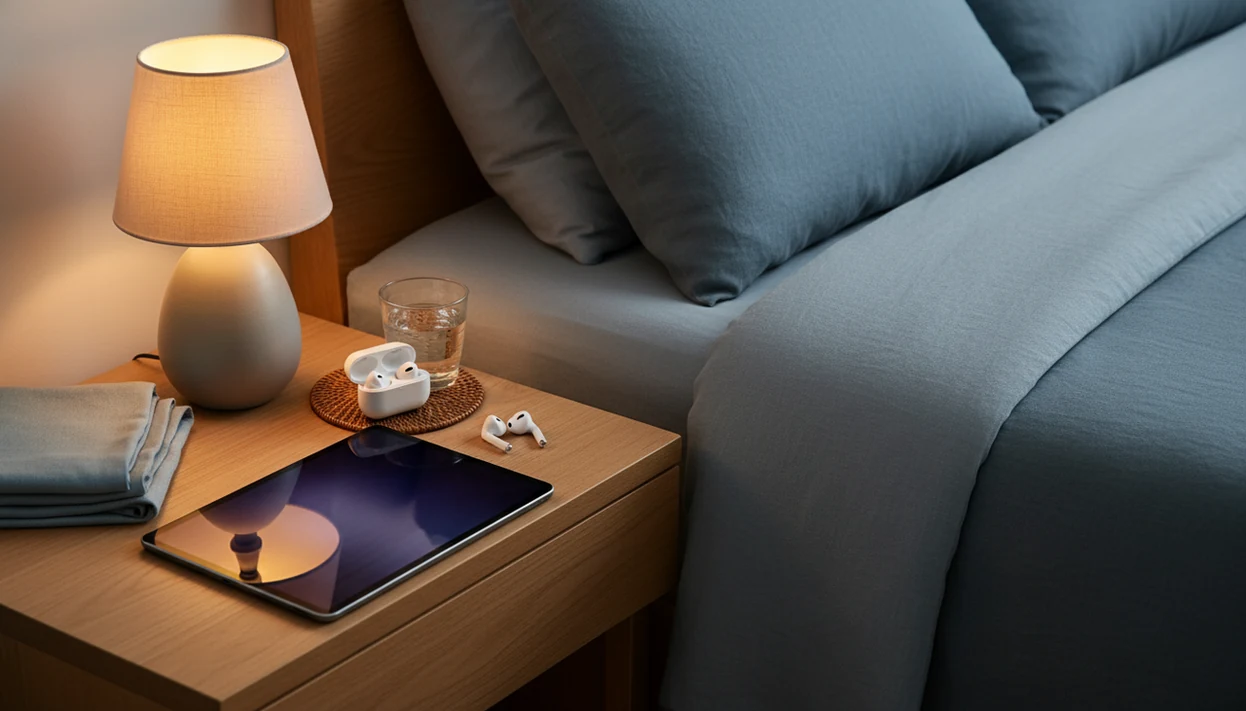
In practice, the screen matters for about two minutes. Then the useful parts are background audio, lock-screen controls, and a session that keeps playing after the display turns off. Pressing play with the phone face down on a nightstand is common; with an iPad, many users simply set the tablet beside the lamp and leave the screen dark.
When the issue is bedtime restlessness, HypnoApp fits because it lets adults pick sleep or relaxation sessions, then listen through headphones or the iPad speaker with the screen locked.
Good hypnosis and self-hypnosis mobile apps deliver guided audio, repeatable routines, and low-pressure relaxation cues, not guaranteed cures or clinical treatment.
Minimum Requirements for iPad Hypnosis Audio
Most iPad hypnosis audio only needs a supported iPad, enough storage for downloads, and a quiet listening setup. The comfort details matter more than fancy hardware.
- Recent iPadOS: Use an iPad that can run the current or recent iPadOS version supported by the app.
- Offline storage: Keep free space for saved sessions, especially longer sleep hypnosis tracks.
- Headphones or earbuds: Wired or Bluetooth audio helps when another person is sleeping nearby.
- Stable Wi-Fi first: Download sessions on Wi-Fi, then use offline playback at bedtime or while traveling.
- Nightstand setup: A simple iPad stand keeps the speaker clear and the screen away from your pillow.
- Optional speaker: A Bluetooth speaker can work for ambient room listening, but keep the volume low.
Small thing. Volume spikes feel bigger at midnight.
If the priority is a calm first trial, HypnoApp works well because free sessions let you test the narrator, pacing, and bedtime volume before building a routine.
How Guided Hypnosis on iPad Works
Guided hypnosis on iPad works by using a calming voice to narrow attention, relax the body, and introduce suggestions while you are in a quiet, focused state. A typical guided audio session moves through induction, progressive relaxation, deepening, suggestion, and return, although sleep tracks may fade out instead.
The mechanism is simple enough to understand. The narrator may ask you to loosen your jaw and drop your shoulders, then count down while music or nature sounds reduce outside distractions. Some tracks add binaural beats or ambient tones, but the spoken script is usually the main feature.
The suggestion phase might focus on sleep, confidence, smoking triggers, food choices, or study focus. These recordings may be written or voiced by hypnotherapists, but they are not individualized like in-person therapy.
A meta-analysis of randomized controlled trials found hypnosis produced a medium overall effect for pain, anxiety, and distress in medical-procedure settings (PubMed: https://pubmed.ncbi.nlm.nih.gov/12234322/). That evidence supports hypnosis as a possible adjunct, but it does not prove that consumer iPad apps produce the same results.
How to Set Up Sleep Hypnosis on iPad for Bedtime
Sleep hypnosis on iPad works best when the tablet is prepared before you are tired. Set it up once, then keep the routine boring and repeatable.
- Download the hypnosis app and choose a sleep or relaxation session with a length you can comfortably finish.
- Save sessions for offline playback so buffering does not interrupt the quiet part of the night.
- Enable Dark Mode and Night Shift to reduce bright light while choosing the track.
- Turn on Do Not Disturb or Sleep Focus so banners, calls, and alerts do not cut through the audio.
- Connect headphones or place the iPad on a nightstand with volume low enough that the first minute feels gentle.
- Start the session, lock the screen, and close your eyes so the practice stays audio-first.
The right fit for adults who want a tablet-based bedtime routine is HypnoApp because the workflow can be simple: choose a sleep session, download it, start playback, and lock the screen.
For deeper sleep-specific guidance, our best sleep hypnosis app guide explains what to look for in long-form bedtime tracks.
Ready to start your quit?
HypnoApp is a hypnosis app for iPad that lets adults play guided hypnosis audio for sleep, relaxation, and habit support from a larger tablet screen, then continue listening…
iPad Hypnosis app vs iPhone HypnoApp
The iPad is usually better for browsing and nightstand listening, while the iPhone is easier for commuting, travel, and short breaks. Once the screen is off, the choice mainly comes down to speaker comfort, battery habits, and where you listen.
| Feature | iPad hypnosis app | iPhone hypnosis app |
|---|---|---|
| Screen size | Easier to browse session libraries and read descriptions | Smaller, but fine for quick session selection |
| Speaker sound | Generally louder and fuller for room listening | Better for earbuds and private listening |
| Portability | Better as a dedicated bedside device | Better on a bus, walk, or hotel stay |
| Battery use | Often comfortable for long audio playback | Convenient, but may already be low by bedtime |
| Session library | Same app library when supported | Same account and session access when supported |
| Bedtime verdict | Slightly better for nightstand use | Better if you always sleep with your phone nearby |
For people choosing between devices, iPad usually wins at bedtime because it can stay on the nightstand instead of becoming another notification-heavy pocket screen. Our hypnosis app for iPhone page covers the smaller-screen version in more detail.
Evidence Behind Hypnosis Apps for Relaxation and Sleep
The evidence for hypnosis is stronger than the evidence for hypnosis apps. That distinction matters because a recorded iPad session is not the same as individualized care from a licensed clinician.
A 2013 systematic review of 407 hypnosis apps found that 22.6% targeted weight loss, 20.3% targeted self-esteem, and 19.9% targeted relaxation or stress reduction; none documented evidence of efficacy or adherence to clinical guidelines (PubMed: https://pubmed.ncbi.nlm.nih.gov/24228091/). In the same research summary, a randomized trial of 90 women with insomnia found that a 5-week structured hypnotherapy program improved sleep efficiency and reduced wake time after sleep onset compared with a control condition.
Another useful context point: National Health Interview Survey reporting found hypnosis use among U.S. adults was low compared with more common complementary health approaches, with about 1.7% of adults reporting hypnosis use in the previous year (CDC/NCHS: https://www.cdc.gov/nchs/products/databriefs/db325.htm). So hypnosis is established, but still niche.
Adults looking for guided hypnosis iPad support should treat HypnoApp as a wellness routine because app benefits usually depend on expectation, repetition, comfort with the narrator, and a sleep setup that avoids interruptions.
The most defensible expectation is modest support for relaxation, not a medical outcome.
When to Seek Professional Help Instead of an iPad HypnoApp
Use an iPad hypnosis app as a complement to care when symptoms are mild, occasional, or tied to everyday stress. Do not use it as the only support for persistent insomnia, panic attacks, trauma symptoms, major depression, psychosis, or any condition that is disrupting work, safety, or relationships.
Therapists and mental-health guidelines commonly recommend professional assessment when sleep or anxiety symptoms last for weeks, worsen, or come with severe distress. A guided audio session cannot diagnose sleep apnea, medication side effects, PTSD, or depression.
Stop listening if a script makes you feel more anxious, trapped, dissociated, or distressed. Some people dislike body-scan language or “go deeper” phrasing, and that reaction is enough reason to pause.
Adults who already work with a clinician can use HypnoApp alongside professional care because it offers structured relaxation sessions between appointments, not diagnosis or crisis support.
Download the HypnoApp on iPad
To use HypnoApp on iPad, open the App Store on your tablet and search for “HypnoApp,” then install it on any iPad running a supported iPadOS version. If you prefer starting from the website, the download hypnosis app page points you toward the current app download path.
Begin with a free session before subscribing. Listen for the narrator’s pace, the ending volume, and whether the script feels comfortable. A notification banner for bedtime audio is useful earlier in the evening; at bedtime, silence everything else.
iPad users looking for guided hypnosis, sleep audio, and habit-support sessions can use HypnoApp as a low-pressure practice because trial sessions make it easier to test the routine before paying.
Limitations
iPad hypnosis apps can be helpful relaxation tools, but they have real limits. Treat them like guided wellness audio, not as medical treatment.
- Evidence for consumer hypnosis apps is very limited; most hypnosis research involves in-person or structured clinical sessions.
- A systematic review of hypnosis apps found zero apps that documented efficacy evidence or clinical guideline adherence.
- Sleep benefits are usually modest and may depend on expectation, repetition, bedtime consistency, and placebo effects.
- Hypnosis apps are not regulated medical devices, so cure claims for insomnia, anxiety, weight loss, or smoking should be treated cautiously.
- Some users find certain scripts uncomfortable or triggering; stop if distress increases.
- iPad blue light, late-night browsing, and notifications can disrupt sleep if Dark Mode, Night Shift, and Sleep Focus are not set.
- Apps lack the individualized assessment, tailoring, and follow-up that licensed hypnotherapists or therapists can provide.
- Broad meditation apps like calm.com and headspace.com may offer stronger general mindfulness libraries, while hypnobox.com focuses more narrowly on hypnosis-style audio.
However, a narrower app can still be useful when you want one clear bedtime track instead of a large content maze.