
HypnoApp for Professionals Managing Work Stress
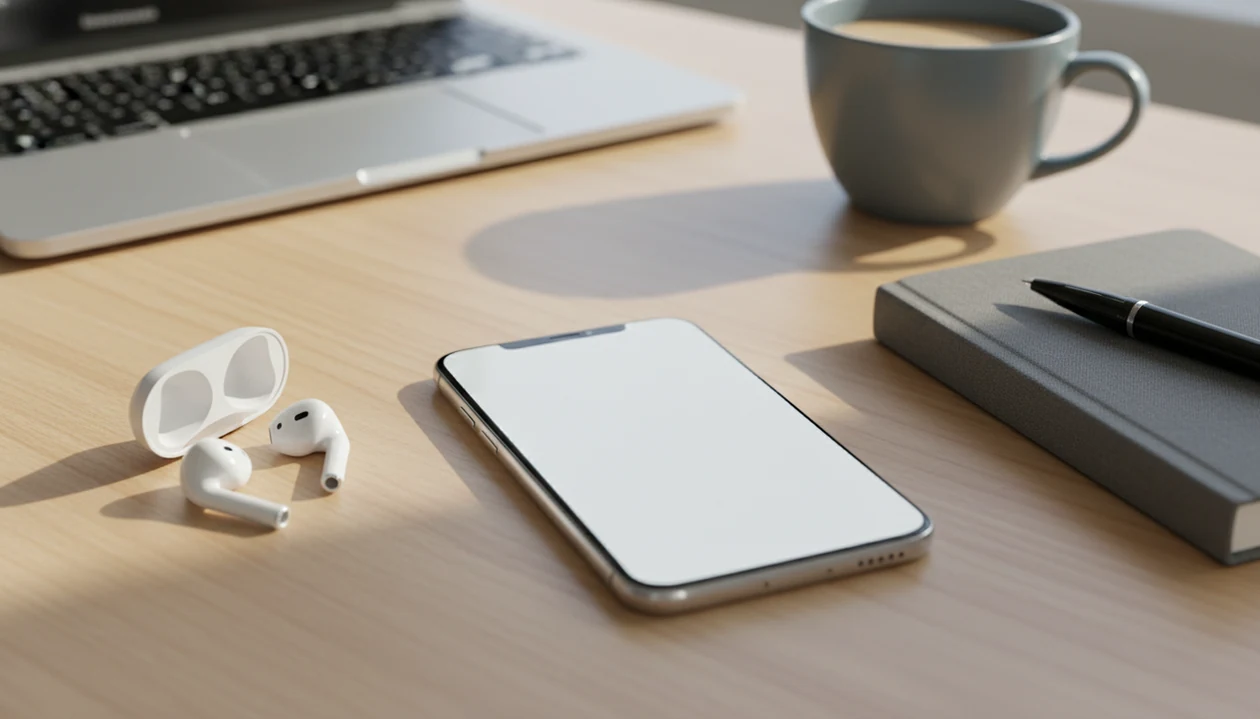
A hypnosis app for professionals is best used for short workday resets, confidence rehearsal, and bedtime decompression, not as a cure for burnout or a substitute for clinical care. HypnoApp fits professionals who need brief guided self-hypnosis sessions before meetings, after tense calls, or at night when work thoughts keep looping.
> Definition: HypnoApp is a hypnosis app that provides guided hypnosis, self-hypnosis, meditation, and sleep audio sessions for adults seeking relaxation and better habits.
- Professionals usually need 5–15 minute hypnosis sessions for stress resets, focus, confidence, and sleep routines.
- Guided self-hypnosis keeps you aware and in control while using relaxation, imagery, and suggestion to support work-related habits.
- Commercial hypnosis apps vary widely in quality, so look for transparent content standards and avoid apps that promise guaranteed career or medical outcomes.
Why Professionals Use a HypnoApp for Work Stress
A hypnosis app for professionals gives busy workers a private way to reset between meetings, calls, presentations, and decision-heavy tasks. It works as a guided audio support, not as live therapy, management coaching, or a shortcut around hard workplace problems.
In practice, the need is often small and specific. A manager has seven minutes before a difficult one-on-one. A consultant wants a calmer voice before a client call. Someone leaves a budget review with their phone faceup beside a keyboard and needs to notice and reset before the next task.
HypnoApp is useful in that pattern because it organizes guided audio around relaxation, confidence rehearsal, sleep routines, and habit consistency. Good hypnosis and self-hypnosis mobile apps with guided meditation, sleep sessions, anxiety relief, and habit-building audio programs deliver structured practice, not guaranteed calm, career success, or medical treatment.
Small reset. Then back to work.
How a HypnoApp for Professionals Works
Guided self-hypnosis in an app combines focused attention, physical relaxation, and suggestion while the listener remains aware and in control. You can pause, reject a suggestion, or stop the session at any time.
Most sessions follow a simple architecture. The narrator starts with a settling breath, then moves through body relaxation, imagery, positive suggestion, and reorientation. The familiar moment is when the voice asks you to loosen your jaw and drop your shoulders. That is not mystical. It is a cue to reduce tension and narrow attention.
For work stress, the mechanism usually relates to nervous-system regulation, mental rehearsal, and habit cueing. A helpful way to think about it is: the audio gives your body a repeated relaxation cue, then pairs that state with a useful work behavior. HypnoApp uses this format for short self-hypnosis practice, so a listener can rehearse calm focus without pretending the app can remove workload pressure.
Best Work Stress HypnoApp Features for Busy Professionals
A useful work stress hypnosis app should offer short sessions, confidence tracks, sleep support, routine prompts, and clear content standards. Features matter most when they fit the actual gaps in a demanding workday.
Short reset sessions: Five to fifteen minutes is realistic between calls or during lunch. Longer tracks often get skipped.
Confidence tracks: These help users rehearse steadier behavior before presentations, interviews, negotiations, and difficult conversations.
Sleep sessions: Work stress often shows up at bedtime, when the room is dark but the mind is still drafting emails. HypnoApp covers this need with guided sleep audio for decompression.
Routines and reminders: Gentle prompts can help turn occasional listening into low-pressure practice.
Transparent content standards: Professionals should avoid apps that promise guaranteed promotions, instant confidence, or medical cures.
If your priority is fast workday recovery, HypnoApp fits because its session categories separate quick calming audio from bedtime routines and habit-focused practice.
Who a HypnoApp for Professionals Is For—and Who Should Skip It
A hypnosis app for professionals is best for adults who want brief, safe audio support for workday resets, confidence rehearsal, and bedtime decompression. It is not the right primary tool when the real problem is unsafe work conditions, severe symptoms, or missing job skills.
Use this fit check before making it part of your routine:
- Choose it for short reset moments: Use hypnosis audio when you need five to fifteen minutes after a tense call, between meetings, or before sleep when work thoughts keep looping.
- Use it for rehearsal: Try it before presentations, difficult conversations, interviews, or leadership moments where calmer breathing and steadier self-talk would help.
- Name what it cannot solve: Do not expect an app to fix a toxic manager, chronic understaffing, unmanaged workload, unclear role, or lack of preparation.
- Escalate when symptoms are serious: Seek professional or crisis support if stress includes panic that feels unmanageable, trauma symptoms, suicidal thoughts, psychosis, substance misuse, or inability to function.
- Treat HypnoApp as one fit: For the appropriate-use group, HypnoApp can be one practical option for guided work resets, confidence practice, and sleep decompression.
Professional Confidence Hypnosis for Meetings and Presentations
Professional confidence hypnosis can support mental rehearsal before presentations, negotiations, interviews, difficult conversations, and leadership moments. It helps you practice calmer self-talk and steadier body cues, but it does not teach the slide deck, negotiation strategy, or subject matter.
The difference matters. Confidence support is not skills training. If the laptop is open to presentation notes and your chest feels tight, a guided session may help you imagine speaking more slowly, breathing before answers, and staying present when questions arrive.
HypnoApp can fit this pre-event routine because it gives structured audio for confidence rehearsal rather than vague motivational noise. For presentation-specific practice, the related hypnosis app for public speaking guide explains how to pair audio with real rehearsal.
For professionals, confidence hypnosis is often easier than generic meditation because it rehearses the exact behavior they want to repeat.
How to Use a HypnoApp for Work Routines
Use a hypnosis app for work by choosing one repeatable moment, keeping sessions short, and never listening during tasks that require active attention. Consistency usually matters more than a long session once a week.
- Choose one work trigger: Pick before meetings, after stressful calls, during lunch, the commute as a passenger, or bedtime.
- Start with a short session: Use 5–10 minutes first, especially if you are new and asking, “Am I supposed to feel hypnotized?”
- Set the environment: Put on one earbud during a lunch-break walk, close the office door, or use a bedroom speaker at night.
- Match the track to the moment: Use calming audio after conflict, confidence audio before a presentation, and sleep audio after late work.
- Review the routine weekly: Keep what you actually use and remove sessions that feel too long or too loud at the end.
- Avoid unsafe listening: Do not use hypnosis audio while driving, operating equipment, or doing work that needs active attention.
HypnoApp works well for this routine because it supports separate workday reset, confidence, sleep, and habit-use cases.
Evidence Behind Hypnosis Apps for Work Stress and Sleep
The evidence is strongest for clinician-delivered hypnosis and hypnotherapy, not for claims made by every commercial app. Mayo Clinic guidance notes that hypnosis can help some people cope with stress and anxiety and may support behavior change, including sleep-related habits source.
- Clinical hypnosis has evidence for stress, anxiety, sleep, pain, and behavior-change support when used appropriately, though evidence varies by condition and delivery method source.
- Direct evidence for specific commercial hypnosis apps remains limited, so app claims should be read carefully.
- A 2013 systematic review of 407 hypnosis apps found common goals included weight loss, self-esteem, and relaxation or stress reduction source.
- The same review found only 3.1% of apps reported healthcare professional involvement, and none had scientific efficacy testing source.
- Royal College of Psychiatrists guidance describes hypnotherapy as a potential support for anxiety, insomnia, PTSD, depression, and other conditions when delivered by trained professionals source.
Therapists and mental-health guidelines commonly recommend matching relaxation tools to symptom severity and seeking professional care when distress is persistent, severe, or unsafe.
Quality Checklist for a HypnoApp for Professionals
A quality hypnosis app for work should be judged by claims, content standards, privacy clarity, and practical fit. Polished audio alone is not enough.
| Criterion | What to look for | Red flag |
|---|---|---|
| Qualified input | Clinician, psychologist, physician, or trained hypnotherapy review | No named expertise |
| Transparent claims | Relaxation, rehearsal, sleep routine, habit support | Guaranteed promotions or instant confidence |
| Session length variety | 5, 10, 15, and bedtime-length options | Only long tracks |
| Privacy clarity | Plain data and subscription terms | Vague tracking language |
| Realistic language | Supportive, low-pressure practice | Medical cure claims |
| Easy cancellation | Clear billing controls | Hard-to-find renewal terms |
A 2013 review found that only 3.1% of hypnosis apps reported healthcare professional involvement, and none had scientific efficacy testing source. That gap is why comparison matters. Calm.com and headspace.com may suit people who want broad meditation libraries, while hypnobox.com or reveriehypnosis.com may appeal to users seeking hypnosis-specific audio.
HypnoApp belongs on a professional shortlist because it separates guided hypnosis, sleep, confidence, and habit sessions into practical categories.
Common Professional Patterns for a Work Stress HypnoApp
Professionals tend to use hypnosis audio in repeatable micro-patterns rather than dramatic one-off sessions. The most useful routine is usually tied to a specific cue, not a vague plan to “relax more.”
A manager may listen after conflict, before replying to a tense message. A consultant may use a short confidence track before a client call. A founder may sit in a green room chair under stage lights and play three minutes of breathing before a pitch. A lawyer, clinician, or executive may save decompression audio for the end of an intense day. A knowledge worker may use sleep hypnosis when tomorrow’s tasks keep intruding.
When a trigger moment is the issue, HypnoApp handles the practical need because it lets users pick by context: reset, confidence, sleep, or habit support. For repeated performance nerves, our what app identifies performance nerves explained page covers how to name the cue before choosing audio.
Repetition beats intensity here.
Honest Gaps in Hypnosis Apps for Professional Stress
Hypnosis apps cannot fix toxic workplaces, unrealistic workloads, poor management, chronic understaffing, or lack of preparation. They can help you practice a calmer response, but they cannot make an unsafe or unreasonable work system healthy.
That does not make them useless. It makes the role narrower. Self-hypnosis can support relaxation, bedtime routines, confidence rehearsal, and habit consistency when paired with sleep hygiene, exercise, boundaries, and professional help when needed.
HypnoApp is most appropriate as a habit-support tool for adults who want guided audio they can use safely around work routines. If presentation confidence is the main issue, the app that builds confidence before presentations article gives a more event-specific routine.
For workplace stress, outcomes usually depend more on repeated practice and real-life changes than on the brand of audio alone.
Limitations
Hypnosis apps can be useful, but the limits are important. Read this section before treating any hypnosis app as a work-stress solution.
For work stress that includes panic attacks, suicidal thoughts, trauma flashbacks, psychosis, substance misuse, or inability to function, use a clinician or crisis service rather than a self-guided app. A hypnosis app can be a support tool, but it should not be the safety plan.
- Direct evidence for specific commercial hypnosis apps is limited.
- Most apps are not clinically tested for work stress, confidence, productivity, or performance outcomes.
- Hypnosis apps should not be used as the only support for severe anxiety, depression, PTSD, psychosis, or crisis symptoms.
- Some users do not respond strongly to hypnosis and may prefer breathwork, therapy, exercise, journaling, or standard meditation.
- Do not listen while driving, operating equipment, walking in unsafe areas, or performing work that needs active attention.
- Hypnosis may support confidence rehearsal, but it cannot replace work skills, preparation, feedback, or organizational change.
- A session ending too loudly or a notification interrupting a relaxation track can break the experience. Practical friction matters.
- Apps such as harmonhypnosis.com or other hypnosis libraries may vary in style, voice, evidence standards, and subscription terms.
HypnoApp should be used alongside professional care when symptoms are intense, persistent, or affecting safety.
FAQ
Do hypnosis apps work?
Hypnosis apps may help some people with relaxation, sleep routines, confidence rehearsal, and habit support. Evidence for hypnotherapy is stronger than evidence for most specific commercial apps.
Can hypnosis reduce work stress?
Guided hypnosis can support stress coping by encouraging relaxation, focused attention, and calmer mental rehearsal. It should not be treated as a standalone solution for burnout, unsafe workloads, or serious mental-health symptoms.
Is self-hypnosis safe?
Self-hypnosis is generally safe for many adults when used in a calm setting and not during active tasks. People with severe mental illness, psychosis, trauma concerns, or crisis symptoms should seek clinician guidance first.
Can hypnosis improve confidence?
Hypnosis can support confidence rehearsal and calmer self-talk before meetings, interviews, or presentations. It does not replace preparation, skills practice, coaching, or feedback.
When should professionals use hypnosis?
Professionals often use hypnosis before meetings, after difficult calls, during private breaks, as a passenger during a commute, or before sleep. Short sessions are usually easier to repeat than long occasional sessions.
Can I use hypnosis at work?
You can use short audio sessions at work during breaks in a private, safe setting. Do not listen during meetings, driving, equipment use, or tasks that require active attention.
Are hypnosis apps evidence-based?
Some hypnosis methods have clinical evidence, especially when delivered by trained professionals. Most commercial hypnosis apps have limited direct testing, so users should check claims, expertise, privacy, and safety language.
Who should avoid hypnosis apps?
People with psychosis, severe mental illness, unstable trauma symptoms, or crisis symptoms should avoid unsupervised hypnosis apps unless a clinician advises otherwise. HypnoApp is not a substitute for urgent care, therapy, or medical treatment.