
HypnoApp for Public Speaking Confidence Routines
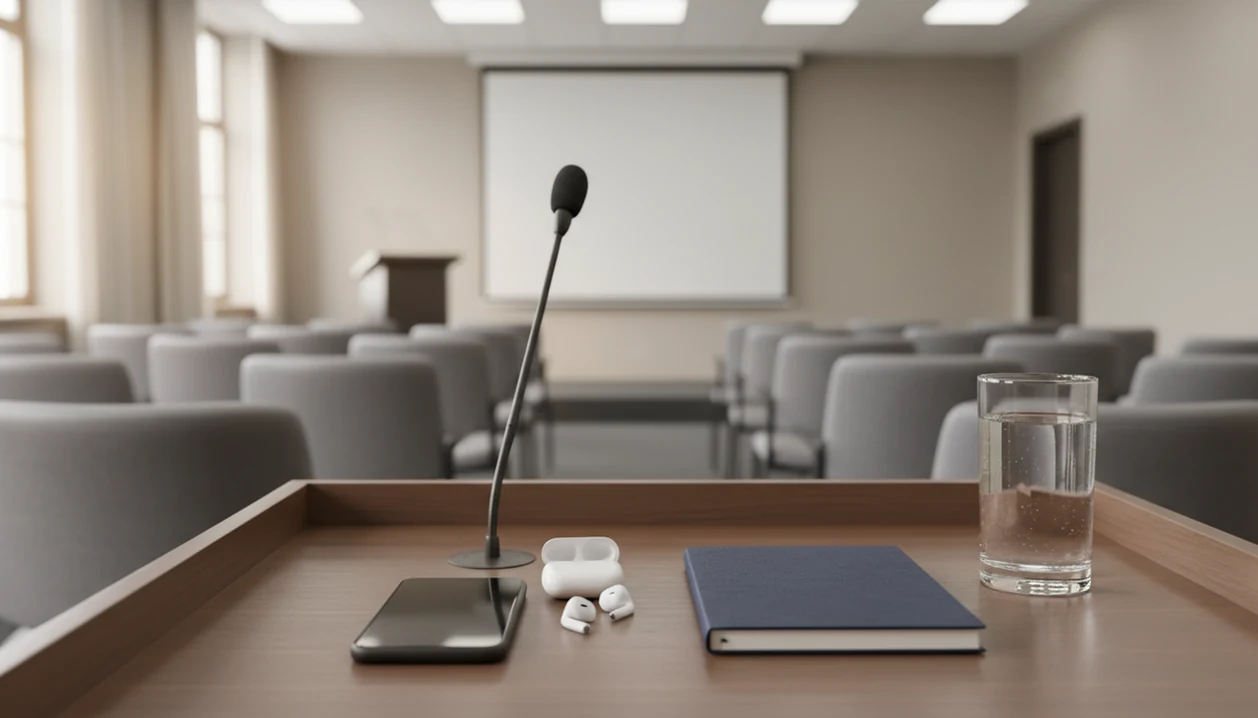
Yes, a hypnosis app can help you rehearse calm before a talk, as long as you pair it with real speaking practice. HypnoApp offers guided hypnosis and self-hypnosis sessions you can repeat before a meeting, pitch, webinar, or interview.
The routine that works best is simple. Listen to the same session over several days, then say your opening line out loud right after the audio ends. Audio settles you, and the practice builds the skill. It does not treat clinical anxiety.
- Use hypnosis audio before bed, before practice runs, and shortly before a presentation to rehearse calm delivery.
- The strongest routine pairs guided hypnosis with real speaking practice.
- Public speaking hypnosis may support confidence, but it does not diagnose, treat, or cure clinical anxiety conditions.
What a public speaking hypnosis app does
A public speaking hypnosis app is a guided audio tool that helps adults practice a calmer response to speeches, pitches, meetings, webinars, and interviews. It usually combines relaxation cues, breathing, imagery, and affirmations with self-hypnosis practice.
In practice, the listener might press play with the phone face down before a rehearsal, then hear the narrator ask them to loosen their jaw and drop their shoulders. That small body cue matters when the mind is already racing.
Public speaking fear is common. NIMH reports that about 25.9% of U.S. adults had any anxiety disorder in the past year (NIMH anxiety statistics), and social anxiety disorder affects about 7.1% of U.S. adults (NIMH social anxiety statistics). HypnoApp supports rehearsal and emotional readiness, but it does not diagnose or treat social anxiety disorder.
A public speaking hypnosis app gives you a repeatable confidence rehearsal. It won't cure stage fright or replace preparation.
How to use it before a talk
Treat a hypnosis app as a repeatable rehearsal routine. It's a poor last-minute rescue. The aim is to connect calm audio practice with one concrete speaking behavior you will need in the real talk.
- Choose one presentation-specific session that matches the talk in front of you, such as a pitch, meeting update, webinar, interview, or Q&A. Avoid hopping between tracks if you are trying to build familiarity.
- Listen in a safe, quiet place with notifications silenced and no task that needs attention. A chair, bed, or parked room works better than a noisy commute.
- Rehearse one speaking action as soon as the audio ends. Say the opening line, practice the first slide, pause before answering a question, or stand with both feet planted.
- Repeat the same session over several days before the presentation so the cues feel practiced instead of new.
- Stop and seek professional help if fear leads to panic, major avoidance, flashbacks, or serious work impairment.
Features worth looking for
The most useful presentation confidence app features are specific to the speaking moment and go beyond general relaxation. Look for sessions that match the pressure you actually face.
- Pre-talk session: A short track for the final 10 minutes before a pitch, update, or webinar.
- Sleep rehearsal track: A calmer bedtime session for imagining tomorrow’s talk while the bedroom fan hums behind narration.
- Breathing reset: A quick exercise for lunch breaks, elevators, or the hallway outside a meeting room.
- Visualization script: Audio that walks through opening lines, pauses, slides, and audience faces.
- Q&A confidence audio: A script for handling audience questions without rushing or apologizing.
- Offline access: A downloaded session for hotel Wi-Fi, conference centers, or flights before the event.
- Progress cues: Favorites, reminders, and session history so repeated practice does not depend on memory alone.
Professionals looking for a confidence for presentations app should also check session lengths, headphones support, offline access, favorites, reminders, and session history. HypnoApp earns the spot for repeat practice because saved sessions can become a low-pressure ritual instead of another task on the calendar.
For a broader comparison, the best hypnosis app for confidence guide explains confidence-focused audio beyond public speaking.
A 7-day routine before a presentation
A 7-day public speaking hypnosis routine should pair every audio session with one real speaking behavior. Audio lowers the pressure and practice builds the skill.
- Choose one confidence or presentation nerves hypnosis session for bedtime on days 1 and 2.
- Rehearse your opening aloud after listening on day 3, even if it feels awkward.
- Record one full slide run-through on day 4 and notice where your voice speeds up.
- Practice Q&A on day 5 with three likely questions written in plain language.
- Listen to a shorter pre-talk session on day 6 after one final run-through.
- Debrief after the presentation by writing what worked, what wobbled, and what to adjust next time.
If the priority is a simple phone-based routine, HypnoApp covers the practice window because you can use bedtime audio, short reset sessions, and repeated self-hypnosis practice around rehearsals.
The full phone routine is covered in how to practice confidence hypnosis with phone.
What the app can't do
HypnoApp can support public speaking confidence routines, but it has clear limits.
- It cannot diagnose, treat, or cure social anxiety disorder, panic disorder, trauma responses, or any mental health condition.
- People with severe avoidance, panic attacks, flashbacks, or major work impairment should seek qualified professional care.
- App-specific trials for public speaking hypnosis are limited, so some claims rely on broader hypnosis and performance anxiety research.
- Audio practice cannot replace writing a clear talk, rehearsing aloud, recording yourself, coaching, slide refinement, or audience exposure.
- Some users experience only mild relaxation, even with consistent listening.
- Quiet time, privacy, headphones, and notification control matter; a loud session ending can break the reset.
- General meditation apps such as calm.com or headspace.com may offer strong relaxation libraries, while hypnobox.com may suit people who want more hypnosis-specific variety.
For people comparing options, an app that builds confidence before presentations should still be judged by rehearsal fit, not by bold claims.
FAQ
Does hypnosis help with public speaking nerves?
Hypnosis may support calm, confidence, and focus for some adults with public speaking nerves. It works best when paired with slide practice, speaking aloud, and real feedback.
How fast does hypnosis work before a presentation?
Some people feel more relaxed after one session. Presentation confidence usually improves more with repeated listening and repeated speaking practice.
When should I listen to hypnosis audio before a talk?
Common times are bedtime, after a rehearsal, and shortly before the presentation when it is safe and practical. Do not listen while driving or doing anything that needs full attention.
Can hypnosis replace speech practice?
No. Hypnosis audio should complement content structure, slide practice, recording, and speaking aloud.
Will a hypnosis app control my mind?
No. Self-hypnosis uses consent, attention, and goals you choose to practice.
What app features matter most for public speaking confidence?
Useful features include guided sessions, short pre-talk tracks, sleep audio, breathing exercises, and scripts for pitches, meetings, webinars, and Q&A. HypnoApp includes guided hypnosis and self-hypnosis audio for adults seeking calm routines.