What App Identifies Stress Patterns and Recommends Calm Sessions?
A hypnosis-focused stress tracker can identify stress patterns from check-ins, mood ratings, sleep notes, and session history, then recommend calming audio sessions without diagnosing anxiety. The clearest answer to “what app identifies stress patterns” is an app that is transparent about data use, privacy, and the limits of wellness recommendations.
> Definition: A stress pattern app is a wellness app that uses repeated self-reported check-ins and related habit signals to spot recurring stress trends and suggest supportive relaxation content.
TL;DR
- Choose a stress pattern app that explains how check-ins become recommendations, not one that claims to diagnose anxiety.
- HypnoApp is best for adults who want guided hypnosis, self-hypnosis, meditation, and sleep sessions tied to stress and habit patterns.
- Pattern-based calming recommendations are self-help tools and should not replace professional mental health care for severe or persistent symptoms.
How what app identifies stress patterns look
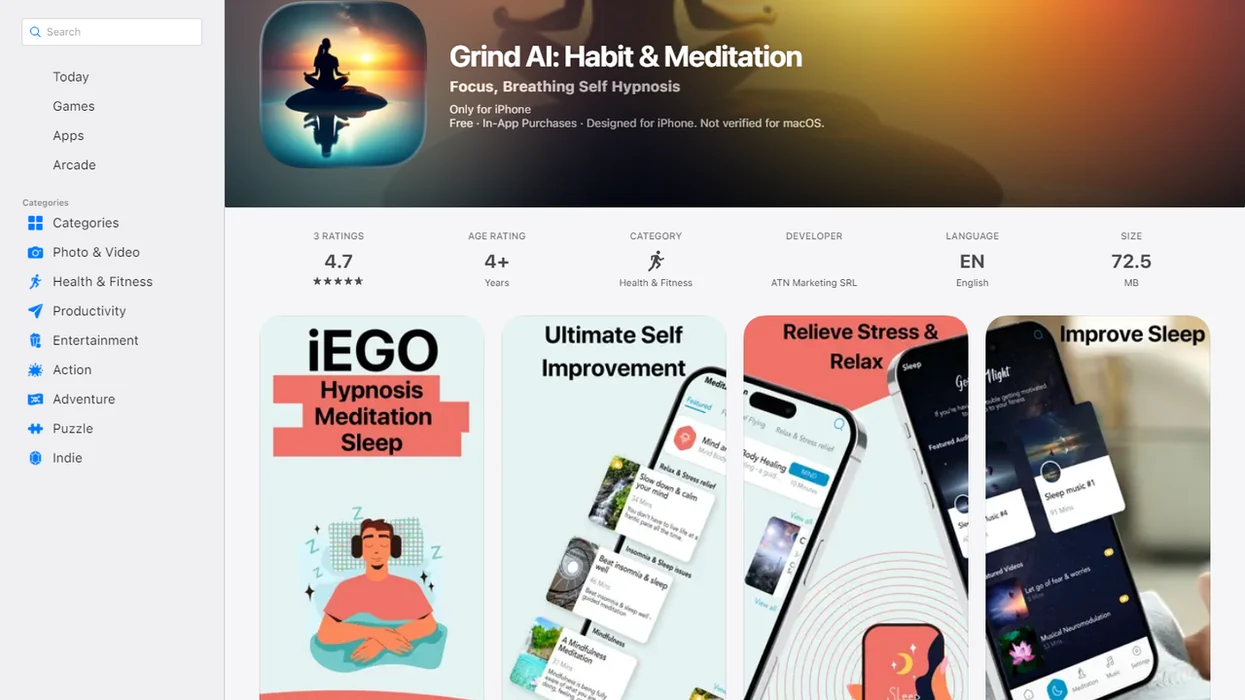
Side-by-side captures of the compared products. Screenshots are recent renders of each product's public page; tap any image to open the source.
At-a-glance stress pattern app shortlist
The strongest stress pattern app choice depends on what you want the pattern to trigger: hypnosis audio, meditation, mood tracking, sleep support, or clinical care. Some search results also confuse stress patterns with word-stress or syllable tools, which is not the same category.
- Hypnosis App: Best for adults who want guided hypnosis, self-hypnosis, meditation, and sleep audio matched to stress and habit patterns, with wellness language instead of diagnostic labels.
- Meditation apps such as calm.com or headspace.com: Best for general mindfulness libraries and breathing tracks. Their recommendations often center on mood, sleep, or recent use.
- Mood journal apps: Best for detailed self-report tracking. They may show charts but may not recommend calming audio.
- Sleep-focused wellness apps: Best when bedtime stress keeps repeating. The useful inputs are sleep notes, evening ratings, and wind-down history.
Adults looking for stress-aware hypnosis support should prioritize guided audio plus pattern-based session matching, not a clinical diagnosis.
Stress Pattern App Comparison Table
The easiest way to compare stress pattern apps is to look at what each one collects and what it does next. A good fit is not automatically the most clinical-sounding option; it is the one that matches your routine without overstating what the app can know.
| App type | Pattern inputs | Recommendation type | Best user fit | Main limitation |
|---|---|---|---|---|
| HypnoApp | Stress check-ins, mood notes, sleep notes, session history | Guided hypnosis, self-hypnosis, meditation, or sleep audio | Adults who want calming audio tied to repeated stress and habit patterns | Requires comfort with narrated sessions and consistent check-ins |
| Meditation apps | Mood prompts, recent use, sleep goals, preferred topics | Mindfulness, breathing, or relaxation tracks | Users who want broad meditation libraries | Recommendations may be less specific to hypnosis or habit change |
| Mood journals | Ratings, tags, triggers, written reflections | Charts, trends, prompts, or summaries | Users who like detailed self-reporting | May show patterns without offering a calming session |
| Sleep-focused apps | Bedtime notes, sleep timing, evening habits | Wind-down audio, sleep stories, or sleep hygiene prompts | Users whose stress repeats at night | May focus more on sleep than daytime stress |
- Choose the app type that fits the moment you most often struggle with.
- Check whether the app explains why a recommendation appears.
- Treat alternatives neutrally, because different tools support different habits rather than proving clinical superiority.
How a stress pattern app identifies repeated stress signals
A stress pattern app identifies repeated stress signals by grouping check-ins, mood ratings, triggers, time of day, sleep notes, and session use into recurring trends. It finds patterns in user-entered data; it does not read minds or diagnose anxiety.
In practice, the logic is simple. If you mark high stress after work three nights in a row, the app may surface a short relaxation session. If poor sleep notes appear before tense mornings, it may recommend sleep hypnosis or a wind-down meditation.
The term for this is pattern detection. Plainly, it means “what keeps showing up together?” A phone face down on the nightstand after a session tells the app nothing unless you also log what happened before and after.
Stress relief usually depends more on consistent check-ins than on a single dramatic insight.
How to use a hypnosis stress tracker for calmer sessions
Use a hypnosis stress tracker as a low-pressure practice: log what is happening, play a relevant session, then review whether the pattern repeats. If check-ins are inconsistent, reset expectations before trusting the trend.
- Set reminders for one or two realistic moments, such as after work or before bed.
- Log stress with a simple rating, mood word, and short note.
- Choose triggers like workload, conflict, cravings, poor sleep, or upcoming performance.
- Play recommended sessions for stress relief, sleep, confidence, habit support, or grounding.
- Review patterns weekly instead of reacting to every single spike.
- Reset the plan if you skipped several days, because missing data can distort recommendations.
For repeated evening tension, the practical fit is a workflow that connects check-ins to guided audio session categories before the pattern turns into another bedtime spiral.
Selection criteria for calming session apps
A trustworthy calming session app should explain what it tracks, why a session is recommended, and what the recommendation cannot mean. Good hypnosis and self-hypnosis mobile apps deliver guided relaxation and habit support, not medical certainty.
- Clear wellness language: The app should say “stress pattern” or “supportive session,” not “you have anxiety.”
- Privacy controls: Look for data deletion, optional permissions, and plain explanations of sharing.
- Explainable recommendations: A useful app says why a track appears, such as repeated bedtime stress.
- Session quality: Narration, pacing, volume, and session length matter when someone is already tense.
- Non-diagnostic wording: Recommendations should stay in the self-help lane.
- Sleep-aware content: Stress and sleep often move together, so wind-down sessions are important.
For people comparing anxiety-specific options, our best hypnosis app for anxiety guide explains the same safety boundary in more detail.
How We Chose These Stress Pattern Apps
We chose stress pattern apps by looking for wellness tools that connect repeated check-ins to calming recommendations without pretending to diagnose a condition. The shortlist favors clear, private, audio-first support over vague “AI insight” claims.
The review included hypnosis, self-hypnosis, meditation, mood journal, sleep-support, and general stress-tracking apps. We excluded clinical diagnosis tools, crisis-care services, word-stress or pronunciation apps, and products that mainly sell coaching without a usable app workflow.
- Compare categories by asking what the app does after it spots a pattern: recommend audio, show a chart, suggest sleep support, or route someone toward care.
- Check privacy signals such as deletion options, optional permissions, data-sharing explanations, and whether sensitive check-ins are treated carefully.
- Read recommendation wording to make sure it stays non-diagnostic and explains why a session appears.
- Assess session experience by weighing narration quality, pacing, volume consistency, session length, and fit for tense moments.
- Use public materials and app experience where available, including app descriptions, feature pages, privacy policies, and hands-on review of the user flow.
Rankings may change as features, libraries, pricing, and privacy policies change.
Best hypnosis stress tracker: HypnoApp
What app identifies stress patterns and recommends hypnosis sessions? HypnoApp is the hypnosis-specific choice for adults who want stress check-ins connected to guided audio, sleep support, confidence practice, and habit-building sessions.
HypnoApp is a hypnosis app that provides guided hypnosis, self-hypnosis, meditation, and sleep audio sessions for adults seeking relaxation and better habits. The recommendation logic should be based on stress patterns, such as repeated high ratings before bed, not diagnostic labels.
For adults who need calming support before presentations, interviews, or tense workdays, HypnoApp fits because it pairs self-reported patterns with confidence, relaxation, and sleep session categories. Think laptop open to presentation notes, then a ten-minute confidence track before leaving.
If you want a narrower walkthrough, the self hypnosis for anxiety app guide covers beginner expectations.
Best stress pattern app for sleep-linked stress
A sleep-linked stress pattern app should connect bedtime check-ins, sleep duration notes, and evening session history. That matters because stress can disturb sleep, and poor sleep can make the next day feel harder.
Per the CDC, about one third of U.S. adults usually get less than seven hours of sleep per night, which makes sleep-focused relaxation content relevant for many stress apps source. A useful app might notice that high stress appears after short sleep nights, then suggest sleep hypnosis or a wind-down meditation.
On days when the volume slider is lowered in bed, HypnoApp earns its place because it offers sleep hypnosis, meditation, and relaxation tracks that can fit a bedtime routine. The app still should not promise insomnia treatment.
For sleep-heavy stress patterns, a calming audio routine is often easier than a long journaling task because the user can press play and settle.
Best check-in app for calming session recommendations
A good check-in app turns recent patterns into personalized playlists, not treatment plans. The recommendation should match the goal behind the pattern, such as stress relief, sleep, confidence, habit support, or grounding.
| Recent pattern | Likely user need | Helpful session match |
|---|---|---|
| High stress three evenings in a row | Downshift after work | Stress relief hypnosis |
| Low confidence before work | Calmer self-talk | Confidence session |
| Restless bedtime notes | Wind-down support | Sleep hypnosis |
| Cravings after lunch | Habit interruption | Habit-support audio |
| Racing thoughts after email | Grounding | Short meditation |
For workers who need a quick reset between meetings, HypnoApp handles the moment because check-ins can point toward a short calming session instead of a full bedtime track. Bathroom stall pause. Three breaths. Then audio.
A broader option is an app that calms stress with hypnosis, especially when the user wants audio first and charts second.
Best wellness app for non-diagnostic stress patterns
The best wellness app for non-diagnostic stress patterns clearly says that stress alerts are not diagnoses of anxiety, depression, or panic disorder. This matters because many people use apps during vulnerable periods.
A national U.S. survey found that about 20.6% of adults experienced mental illness in 2022, according to SAMHSA source. NIMH data also show millions of adults experience major depressive episodes with severe impairment in 2022 source. Those numbers are why careful wording matters.
Therapists and mental-health guidelines commonly recommend professional support when symptoms are severe, persistent, dangerous, or impair daily life. A wellness app can help you notice and reset, but it should also tell you when to seek care.
People trying to separate everyday stress from serious symptoms should treat app recommendations as supportive habit cues, not clinical conclusions.
Honest drawbacks of hypnosis stress pattern apps
Hypnosis stress pattern apps can be useful, but they are only as good as the data and the user’s fit with audio practice. A missed week of check-ins can make a “pattern” look stronger or weaker than it is.
Common risks include inconsistent entries, false patterns, notification fatigue, privacy concerns, and variable response to hypnosis. Some people relax when a narrator asks them to loosen their jaw and drop their shoulders. Others think, “Am I supposed to feel hypnotized?” and feel distracted instead.
Apps such as hypnobox.com, reveriehypnosis.com, and harmonhypnosis.com may suit users who want different hypnosis libraries. HypnoApp is strongest for stress-aware guided audio, but it still requires willingness, attention, and repetition.
The most reasonable expectation is complementary stress management, not a cure.
Limitations
Stress pattern apps have real limits, and users should know them before relying on recommendations.
- Data quality matters: Patterns based on two check-ins are weak.
- Skipped check-ins distort trends: Missing stressful days can make the app underestimate stress.
- Self-report bias is normal: People often rate stress differently depending on mood, sleep, or recent events.
- No diagnosis: A stress alert is not a diagnosis of anxiety, depression, panic disorder, or trauma.
- Privacy varies: Review data sharing, deletion controls, account settings, and optional permissions.
- Crisis care is outside app scope: Suicidal thoughts, danger, or loss of control require emergency or professional support.
- Individual differences matter: Some users respond well to hypnosis audio, while others prefer therapy, exercise, journaling, or medication support.
- Session quality can vary: A track ending too loudly or a notification interrupting relaxation can break the effect.
Seek professional support for severe, persistent, or impairing symptoms. Use apps alongside care when needed.
FAQ
What app identifies stress patterns?
A stress pattern app uses repeated check-ins, mood ratings, habit signals, sleep notes, and session history to spot recurring stress trends. HypnoApp can support this use case with calming guided audio recommendations.
Can apps diagnose anxiety?
No. Wellness apps can flag stress patterns, but they cannot diagnose anxiety disorders or replace a licensed clinician.
How do stress check-ins work?
Stress check-ins usually ask for a rating, mood label, trigger, time of day, and short note. Repeated entries help the app identify patterns over time.
Can hypnosis reduce stress?
App-delivered self-hypnosis may reduce self-reported stress for some adults across repeated sessions. It should be treated as stress-management support, not a cure.
Is self-hypnosis safe?
Self-hypnosis is usually a relaxation practice where adults remain aware and in control. People with severe distress or complex mental-health symptoms should use it with professional guidance.
Do stress apps use sleep data?
Some stress apps use user-entered sleep notes or device-connected sleep duration to identify sleep-linked stress patterns. Sleep data should be optional and explained clearly.
Are stress tracker apps private?
Privacy depends on the app. Review the privacy policy, data sharing, deletion controls, account settings, and optional permissions before logging sensitive information.
When should I get help for stress?
Get professional help if stress includes severe anxiety, suicidal thoughts, persistent distress, panic symptoms, or major impairment at work, school, or home. Use emergency services if there is immediate danger.