
How To Do Sleep Hypnosis With Phone Audio Safely
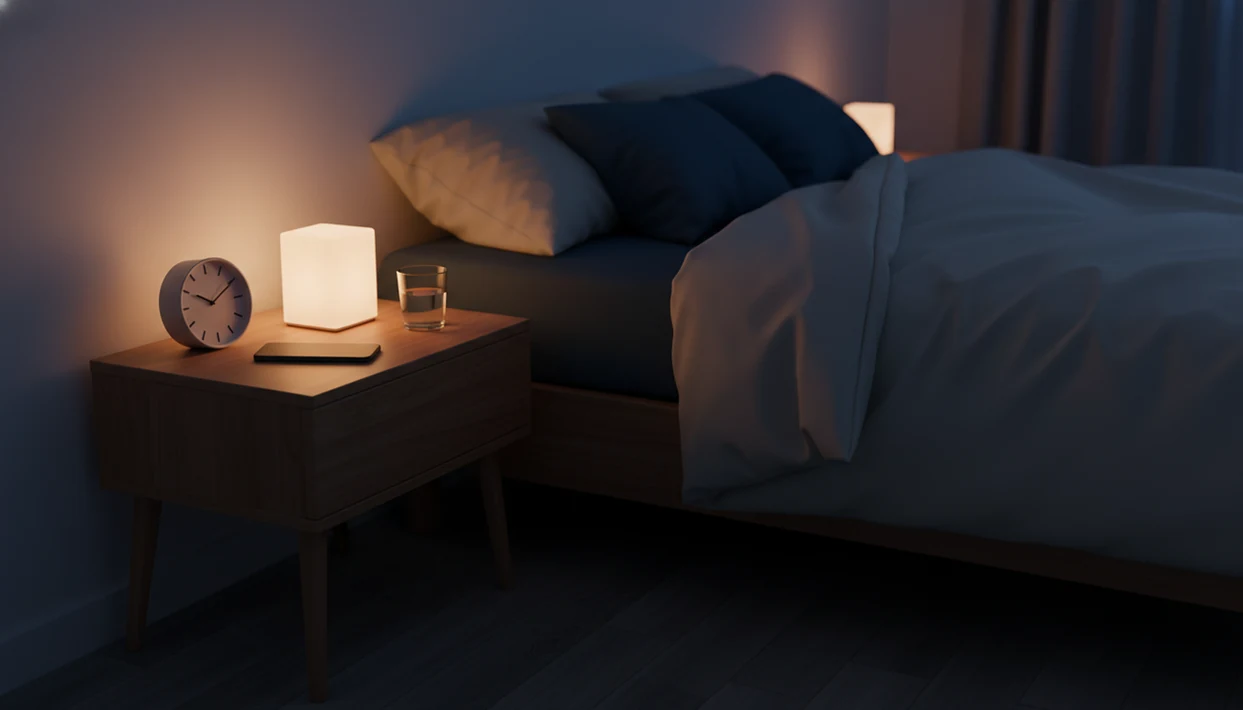
To learn how to do sleep hypnosis with phone, choose a sleep-specific guided track, silence notifications, set a sleep timer, keep the volume low, and listen in bed without scrolling. Treat the phone as an audio guide, not a screen, and use the same short routine consistently.
> Definition: Sleep hypnosis on phone is a guided audio routine that uses breathing, relaxation, imagery, and sleep-focused suggestions to help adults wind down at bedtime.
TL;DR
- Set up your phone before bed: Do Not Disturb on, screen dimmed, timer set, and track chosen.
- Use a sleep-specific hypnosis session with slow pacing, breathing, body relaxation, and gentle suggestions.
- Sleep hypnosis can support relaxation and bedtime habits, but it is not a guaranteed cure or a substitute for medical care.
Sleep Hypnosis On Phone At A Glance
- Sleep hypnosis on phone works best when the phone is treated as an audio-only bedtime tool, not a screen to manage in bed.
- The basic setup is simple: choose one track, set a timer, lower the volume, darken the room, and turn notifications off.
- A useful phone sleep hypnosis routine is usually short, repeatable, and boring in a good way.
- The goal is relaxation and bedtime consistency, not forcing sleep on command.
- Sleep problems are common. In 2020, about 14.5% of U.S. adults had trouble falling asleep most days or every day, per the CDC source.
In practice, the phone should disappear after you press play. The screen goes dark, the room stays quiet, and the voice becomes the only instruction you follow.
Bedtime Hypnosis Setup Before You Press Play
How should you set up your phone before sleep hypnosis? Choose the session before getting into bed, turn on Do Not Disturb or Sleep Focus, dim the screen, set a timer, and put the phone close enough to hear but not close enough to keep touching.
That setup matters because one bright search result can turn into ten minutes of browsing. Pick the track while you are still upright. Then place the phone face down on a nightstand, or across the bed if the speaker is clear.
Use Sleep Focus on iPhone or Do Not Disturb on Android so banners do not cut into the narrator’s pacing. If your app has a fade-out, use it. If not, set a phone timer to stop playback after the session.
The small friction is worth it. No midnight playlist edits.
How Sleep Hypnosis On Phone Works
Sleep hypnosis on phone works by using guided audio to narrow attention, relax the body, and repeat sleep-friendly cues at bedtime. The phone delivers the script, but the listener practices the attention shift.
Most sessions follow a familiar sequence. The narrator starts with breathing, moves into a body scan, adds progressive relaxation, then uses imagery and gentle suggestions. You might hear instructions to loosen your jaw, drop your shoulders, and let the bed support your legs. That is not magic. It is a relaxation cue paired with repetition.
Slower pacing matters because the body needs time to settle. Repeated phrases also reduce decision-making, which helps the routine feel predictable after several nights. Good hypnosis and self-hypnosis mobile apps with guided meditation, sleep sessions, anxiety relief, and habit-building audio programs deliver structured guided audio, not guaranteed sleep or medical treatment.
Clinicians typically recommend evaluation for persistent insomnia symptoms or suspected sleep disorders rather than relying only on wellness audio; the American Academy of Sleep Medicine recommends cognitive behavioral therapy for chronic insomnia as a first-line treatment source.
7 Steps For A Phone Sleep Hypnosis Routine
For most adults, a phone sleep hypnosis routine is easier to keep when it uses the same order every night because there are fewer choices to make at bedtime.
- Set Do Not Disturb. Silence calls, messages, and app alerts before you get under the blanket.
- Reduce screen brightness. Choose the track, then dim or lock the screen so you are not staring into light.
- Pick one sleep-specific track. Use guided sleep hypnosis, not a confidence, study, or habit-change session.
- Set the volume low. Keep the voice clear, but not loud enough to startle you during quiet moments.
- Lie down normally. Use the posture you would actually sleep in, not a stiff “practice” position.
- Follow the audio only. Do not check messages, read comments, or compare tracks mid-session.
- Let it end. Use a timer, fade-out, or app setting so the audio does not run all night.
If you are new, a sleep hypnosis app for beginners can make the first few nights less fiddly.
Step 1: Bedtime Sleep Hypnosis Audio Selection
Choose sleep-specific sessions over energizing hypnosis, confidence rehearsal, study focus, or habit-change audio. A bedtime hypnosis setup should lower alertness, not ask you to plan tomorrow.
Look for slow narration, soft background sound, and fewer instructions after the first relaxation section. The better sleep tracks do not keep asking you to visualize goals, answer prompts, or reflect on progress. A journal page after guided prompts can be useful earlier in the evening, but it is usually too active once you are already in bed.
Tools such as Hypnobox and Reveri sit in the broader hypnosis app category, but the right session type matters more than the logo. If you are comparing options, a best sleep hypnosis app guide should still lead you back to pacing, comfort, and realistic claims.
Step 2: Phone Volume, Sleep Timer, And Bedside Position
Use low to moderate volume for sleep hypnosis on phone. The voice should be easy to hear in a quiet room, but not loud enough to feel like it is taking over the bed.
Speakers work well for many people. A pillow speaker can help if you share a room. Sleep earbuds are fine only if they are comfortable, stay at low volume, and do not press painfully into the ear. Tight earbuds can become the thing you notice most.
Set a timer or fade-out before pressing play. Also check the charging setup. Keep cables away from your neck, pillow folds, and the edge of the mattress. If the phone gets warm while charging, move it to a firm bedside surface.
A session ending too loudly can ruin the whole effect. Test the ending once.
Step 3: Sleep Posture For Relaxation During Hypnosis
Lie in the position you normally use for sleep. Side, back, or slightly curled under a blanket can all work if the position feels natural and safe for you.
During the audio, let the narrator guide attention through the body. Relax the jaw, shoulders, hands, belly, and legs. Let breathing slow on its own instead of pulling in deep breaths on command. Forced breathing can make some people feel more alert.
If your mind wanders, return to the voice or one body sensation. That is the practice. A skeptical beginner may think, “Am I supposed to feel hypnotized?” Not necessarily. You may simply feel a little heavier, quieter, or less interested in checking the phone.
For restless nights, an app that helps you fall asleep with hypnosis should still be used with this same low-pressure practice.
5 Myths About Sleep Hypnosis With Phone Audio
- Myth 1: It only works if you fall asleep instantly. A session can still help if it reduces tension or cuts down phone handling before sleep.
- Myth 2: Phone hypnosis means staring at a screen. The safest routine is audio-only after setup, with the screen locked or face down.
- Myth 3: Longer tracks are always better. A 12-minute track you repeat calmly may be more useful than a 90-minute file you keep adjusting.
- Myth 4: Hypnosis replaces care for chronic sleep problems. Persistent insomnia, breathing pauses, depression symptoms, or severe daytime sleepiness need professional guidance.
- Myth 5: The app should guarantee sleep. No wellness audio can honestly promise that every listener will fall asleep every night.
That last point matters. Commercial apps can sound more certain than the evidence allows, so read claims carefully.
Bedtime Hypnosis Progress Checks After 1 To 2 Weeks
After one to two weeks, judge the routine by bedtime behavior, not only by whether you fell asleep during the track. Look for easier wind-down, less phone handling, and a more consistent lights-out pattern.
A helpful sign is the moment your shoulders drop during a desk session or bedtime practice before the narrator finishes the body scan. Another sign is less bargaining with yourself about “one more video.” Small changes count.
If the routine feels stimulating, adjust one variable at a time. Try a shorter session, a calmer narrator, lower volume, or an earlier start. Stop using any track that feels irritating, preachy, startling, or too mentally busy. If cost is part of the decision, a free sleep hypnosis app can be useful for testing style before settling into a paid routine.
Common Mistakes With Phone Sleep Hypnosis
The most common mistakes with phone sleep hypnosis come from treating the phone like a normal entertainment device instead of a quiet audio tool. Fix the setup first, then keep the routine boring and repeatable.
- Control the phone before bed. Turn on Do Not Disturb or Sleep Focus, stop autoplay, dim the screen, and choose the track before you lie down. If you are still tapping around under the blanket, the session has already become stimulating.
- Choose sleep audio only. Skip confidence, productivity, study, or motivation tracks at bedtime. Those may be useful earlier, but they often ask the mind to rehearse goals instead of letting the body settle.
- Lower the volume. Keep the voice audible but soft enough that pauses do not feel tense and the next sentence does not jolt you awake.
- Repeat one routine. Switching tracks every night keeps the brain evaluating. Use one calm session long enough for it to become familiar.
- Notice unresolved symptoms. Hypnosis can support relaxation, but it should not be used to explain away chronic insomnia, breathing pauses, loud snoring, or severe daytime sleepiness.
Limitations
Sleep hypnosis with phone audio is a habit-support tool, not a universal sleep fix. It may help some adults relax at bedtime, but it does not work equally well for everyone.
- Evidence is not strong enough to call phone-based sleep hypnosis a guaranteed treatment for insomnia.
- It should not replace evaluation for chronic insomnia, sleep apnea signs, depression, or severe daytime sleepiness.
- Phone use can backfire if it leads to browsing, bright screens, autoplay, or notifications.
- Loud headphones may irritate ears, mask important sounds, or disturb sleep quality.
- Some commercial apps overpromise immediate or guaranteed results.
- Stop a track if it makes you feel more alert, tense, annoyed, or dependent on checking settings.
- Seek professional guidance for loud snoring, breathing pauses, unsafe sleepiness while driving, or persistent sleep problems.
A hypnosis-audio app can be part of a calmer routine for some adults, but it should sit alongside basic sleep hygiene and medical care when needed.
FAQ
Can I use YouTube for sleep hypnosis on my phone?
Yes, YouTube can work if the audio is sleep-focused, ads are avoided, autoplay is controlled, and the screen is not used for scrolling. Choose the video before bed and listen with the screen dimmed or locked if your setup allows it.
Should I wear headphones while falling asleep to hypnosis?
Headphones are optional and should be kept at low volume. Use a speaker instead if earbuds feel tight, painful, unsafe, or disruptive during sleep.
What phone volume is safest for sleep hypnosis?
Use a low, clear volume that does not feel loud, startling, or necessary to drown out the room. If you need high volume to hear the track, adjust placement or choose clearer audio.
How long should a sleep hypnosis audio session be?
Short repeatable sessions often work best, commonly around 10 to 30 minutes depending on preference. Longer audio is not automatically better for sleep.
Do I need a sleep timer for phone hypnosis?
A sleep timer or fade-out helps prevent overnight playback. It also keeps the phone from becoming something you manage after the session starts.
Can sleep hypnosis on a phone cure insomnia?
Sleep hypnosis may support relaxation and bedtime consistency, but it is not a guaranteed cure for insomnia. Persistent sleep problems should be discussed with a qualified health professional.
Why do I stay awake during sleep hypnosis audio?
Staying awake can happen because of stress, poor timing, stimulating audio, screen exposure, discomfort, or underlying sleep issues. Try changing the narrator, length, volume, or bedtime timing.
Is it safe to use phone sleep hypnosis every night?
Nightly use is generally a relaxation habit for many adults when volume is low, the screen is not used for browsing, and sleep problems are not ignored. A phone hypnosis routine should not replace medical evaluation when symptoms suggest a sleep disorder.