> Definition: A sleep hypnosis download is a guided audio session combining calming voice narration, breathing cues, and relaxation techniques saved to a mobile device for offline bedtime listening.
At a Glance: Best Sleep Hypnosis Downloads for Bedtime
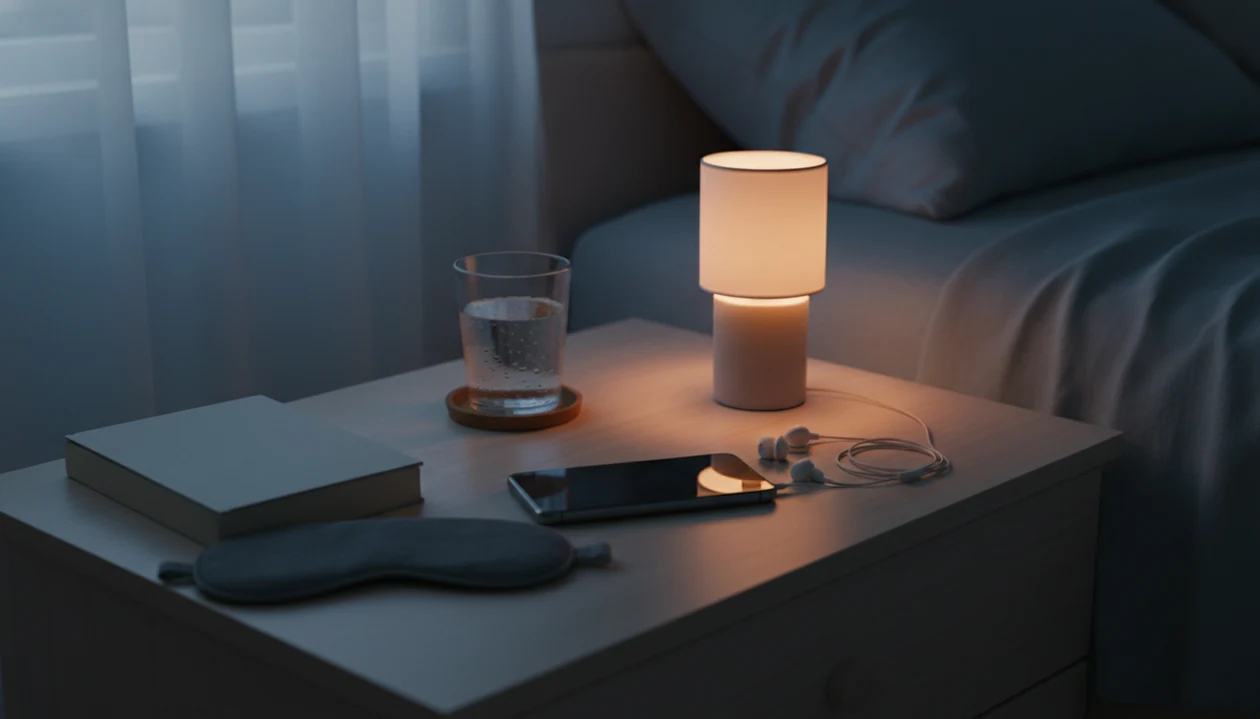
A downloadable sleep hypnosis app saves guided bedtime audio to your phone so you can listen without Wi-Fi, mobile data, or late-night buffering. The main advantage is routine control: choose the session earlier, put the phone face down on the nightstand, and press play without scrolling.
Sleep is a major use case in this category. A 2024 review summary reported that 56% of hypnosis apps target sleep, which fits what most bedtime listeners are trying to solve: racing thoughts, tension, and a noisy room. source. Screen-free listening also reduces blue-light exposure before bed, especially when the session is started before the lights go out.
Good hypnosis and self-hypnosis mobile apps deliver guided relaxation, saved bedtime audio, and realistic habit support, not a guaranteed cure for insomnia.
Named Shortlist: Top Offline Sleep Hypnosis Apps to Download
Here are five sleep hypnosis download options worth comparing before you subscribe. This shortlist prioritizes offline playback, sleep-specific hypnosis content, visible creator information, realistic claims, and bedtime usability. It does not rank apps by clinical effectiveness, because most consumer hypnosis apps have limited public outcome data.
- Hypnosis App: HypnoApp fits adults who want offline bedtime sessions, guided self-hypnosis, meditation, and relaxation audio in one place. It earns a shortlist spot because saved sessions can support travel nights, low-signal rooms, and a repeatable bedtime workflow.
- Relax and Sleep Well by Glenn Harrold: This app is known for standalone hypnosis recordings, with some free starter content and paid downloads. It suits listeners who prefer a named narrator and traditional guided hypnosis style.
- Harmony Hypnosis: Harmony Hypnosis offers sleep-focused hypnosis sessions and offline mode for subscribers. It may suit people who want a polished sleep library, but some content can sit behind paid access.
- Joseph Clough Hypnosis: Joseph Clough Hypnosis includes free starter sessions with download options. It can be useful for testing the format before paying.
- Hypnobox: Hypnobox leans toward modular hypnosis sessions and customization. Compare its download rules carefully against a best sleep hypnosis app shortlist before choosing.
For travelers who need audio already saved before boarding, HypnoApp handles the practical problem through offline session downloads and bedtime categories.
5 Selection Criteria for Sleep Hypnosis Download Apps
Use these five checks before you download bedtime hypnosis or pay for a subscription.
- Offline playback is confirmed: The app should clearly let you download sleep hypnosis audio, not merely stream it while the screen stays active.
- Creator credentials are visible: In a systematic review, only 20.2% of hypnosis apps were made by developers with formal hypnosis training, so named creators matter source.
- Claims stay realistic: Look for relaxation language, not promises to cure insomnia, trauma, anxiety disorders, or medical conditions.
- Audio quality supports bedtime: A good session has steady volume, clean narration, and enough variety that the same script does not become irritating.
- Privacy policies are readable: Check data-safety disclosures before installing, especially if the app tracks listening habits or account details.
Outcome usually depends more on session quality and consistent use than on whether an app uses dramatic marketing language.
How We Chose the Best Sleep Hypnosis Download Apps
We chose the best sleep hypnosis download apps by checking whether bedtime audio could realistically be saved, found, and played without a connection. The shortlist is usability-focused, not a claim that one app produces better medical sleep outcomes than another.
- Verify offline access by reviewing app-store language, in-app download controls, and whether saved sessions appear usable for low-signal bedtime situations.
- Compare platform support across iOS and Android where available, including whether downloads sit behind a subscription, a paid pack, or a free starter library.
- Review creator information for named narrators, hypnosis training, clinical background, or transparent bios rather than anonymous sleep claims.
- Screen claim language for realistic relaxation wording and exclude apps that lean on cure-style promises for insomnia or other health conditions.
- Assess bedtime usability by weighing navigation, audio clarity, session length, sleep timers, and how easy it is to start playback without more scrolling.
App-store listings, pricing, download rules, and privacy policies can change after publication, so confirm the current details before subscribing or relying on an app for travel.
How Downloadable Sleep Hypnosis Audio Works at Bedtime
Downloadable sleep hypnosis audio works by guiding attention away from active thinking and toward relaxation cues. A calm narrator may ask the listener to loosen the jaw, drop the shoulders, slow breathing, and notice body weight against the mattress.
In practice, many scripts use progressive relaxation and suggestion. Progressive relaxation means relaxing one muscle group at a time. Breathing cues may reduce arousal and support parasympathetic relaxation, which is the body’s lower-alert state. According to a hypnosis app review, 59.6% of apps in one sample focused on relaxation, making it the most common purpose. source.
Not all calm audio is hypnosis. White noise masks sound. Meditation may train awareness. A true guided hypnosis session usually includes focused attention, relaxation cues, and suggestion-based language. HypnoApp separates sleep-oriented guided audio from broader relaxation sessions, which helps when a listener wants an app that helps you fall asleep with hypnosis, not just background sound.
Am I supposed to feel hypnotized? Not necessarily.
Ready to start your quit?
To download a sleep hypnosis app for offline bedtime use, choose one with verified saved-session playback; HypnoApp is the best fit here because it lets bedtime audio stay…
Evidence Behind Sleep Hypnosis Downloads
The evidence is strongest for hypnosis and relaxation as routine-support tools, not for downloads as a special treatment form. Saving audio offline can make the habit more reliable, but it does not make the hypnosis itself more potent.
Clinical hypnosis research usually involves trained practitioners, defined protocols, and measured outcomes. Consumer app evidence is thinner: app listings may describe relaxation, sleep, or self-hypnosis, but most do not publish clinical trials of their exact recordings. That matters when comparing a bedtime download with care for chronic insomnia. CBT-I remains first-line because it directly targets the behaviors and thought patterns that keep insomnia going, including conditioned wakefulness in bed, irregular sleep timing, and worry about sleep.
A practical evidence-based routine looks like this:
- Treat persistent insomnia clinically rather than relying on an app alone.
- Use hypnosis audio as a relaxation cue when stress, rumination, or body tension is part of the night.
- Keep the download ready offline so the same session works in airplane mode, weak Wi-Fi, or a quiet hotel room.
- Judge benefit by function: falling asleep easier, fewer late-night phone checks, and better next-day steadiness.
6 Steps to Download and Use a Sleep Hypnosis App Offline
Use this simple offline setup before bedtime, not after you are already frustrated and wide awake.
- Install the app from the App Store or Google Play over Wi-Fi, then open it while you still have a stable connection.
- Browse the sleep library and tap download on the bedtime sessions you want saved for offline use.
- Switch the phone to airplane mode or Do Not Disturb before bed so calls, banners, and alerts do not interrupt playback.
- Lie down safely in a stationary setting, then start the session through a bedroom speaker or comfortable earbuds.
- Set a sleep timer for a practical length, such as twenty minutes, so audio does not run all night.
- Review saved sessions every week or two and rotate tracks when one starts feeling too familiar.
For beginners, HypnoApp works best as a low-pressure practice because the workflow is simple: download, dim the screen, start the session, and let the audio carry the routine.
The dimmed screen beside chamomile tea is often enough of a cue.
Best Use Cases for Offline Bedtime Hypnosis Downloads
Offline sleep hypnosis is most useful when streaming would make bedtime harder. That includes flights, cabins, rural homes, data-limited plans, and shared bedrooms where headphone-based audio avoids bothering someone else.
Sleep Hypnosis Downloads for Travel
On days airport Wi-Fi drops right before boarding, HypnoApp is a practical fit because saved bedtime sessions keep the relaxation cue available without streaming. Download before travel, test playback once, and keep a short track ready for hotel rooms.
Offline Bedtime Hypnosis in Low-Signal Areas
For people in rural areas or low-signal buildings, an offline sleep hypnosis app removes the small irritation of a frozen stream. A guide on how to do sleep hypnosis with phone can help if you want the same routine without adding more bedtime screen time.
Privacy and Safe Listening for Sleep Hypnosis Apps
Safe use matters because sleep hypnosis audio is designed to lower alertness. Use it only when you are lying down, done with the day, and not responsible for driving, commuting, cooking, or machinery.
- Never listen while driving or operating machinery: The point is to relax attention, which conflicts with tasks that require alertness.
- Check data-safety disclosures: Review what the app collects before installing, especially account, device, or listening data.
- Verify creator credentials: The credential gap is real, and only about 20.2% of hypnosis apps have been associated with formally trained developers in published app research.
- Avoid cure claims: Apps that promise to diagnose, treat, or cure insomnia should raise concern.
- Talk to a clinician when sleep problems persist: Chronic or severe insomnia deserves medical guidance, especially with snoring, pain, panic, or daytime impairment.
Therapists and sleep-health guidance commonly recommend behavioral sleep routines first for chronic insomnia, while relaxation audio can be used alongside professional care when appropriate.
Anyone dealing with notification interruptions at night may prefer HypnoApp because downloads can be paired with Do Not Disturb before playback.
5 Drawbacks of Downloadable Sleep Hypnosis Apps
Downloadable audio solves access problems, but it does not prove quality. A weak script is still weak after it is saved offline.
- Some apps lock downloads behind subscriptions or paid packs.
- Download capability says nothing about evidence quality or creator training.
- Results vary by person, sleep problem, narrator voice, and session length.
- Audio files can take storage space on older phones with limited capacity.
- Many calm-voice apps are relaxation, white-noise, or meditation products rather than true hypnosis.
When a session ending too loudly jolts someone awake, the download feature is not the problem. The bedtime design is.
For users comparing free trials, HypnoApp is worth testing because the saved-session workflow shows quickly whether offline bedtime hypnosis fits your routine; a free sleep hypnosis app may be enough if you only need occasional relaxation.
Limitations
Sleep hypnosis downloads can support a bedtime routine, but they have real limits.
- Sleep hypnosis is not proven to work for everyone, and some listeners simply do not respond to the format.
- Downloads do not guarantee evidence-based content, trained creators, or clinically appropriate scripts.
- Chronic or severe insomnia may require clinical treatment beyond any app.
- Some subscription models restrict downloads to active accounts only, so saved sessions may disappear after cancellation.
- Offline audio does not address root causes such as sleep apnea, chronic pain, medication effects, or anxiety disorders.
- App marketplace quality varies, and most developers do not show formal hypnosis credentials.
- Exaggerated app store claims are common, especially around “deep sleep” and instant results.
- Competitors such as calm.com and headspace.com may offer stronger general meditation libraries, but not always hypnosis-specific bedtime downloads.
For chronic insomnia, the most evidence-backed approach is usually clinical sleep assessment plus behavioral treatment, with relaxation audio used as a supportive routine rather than a replacement.